

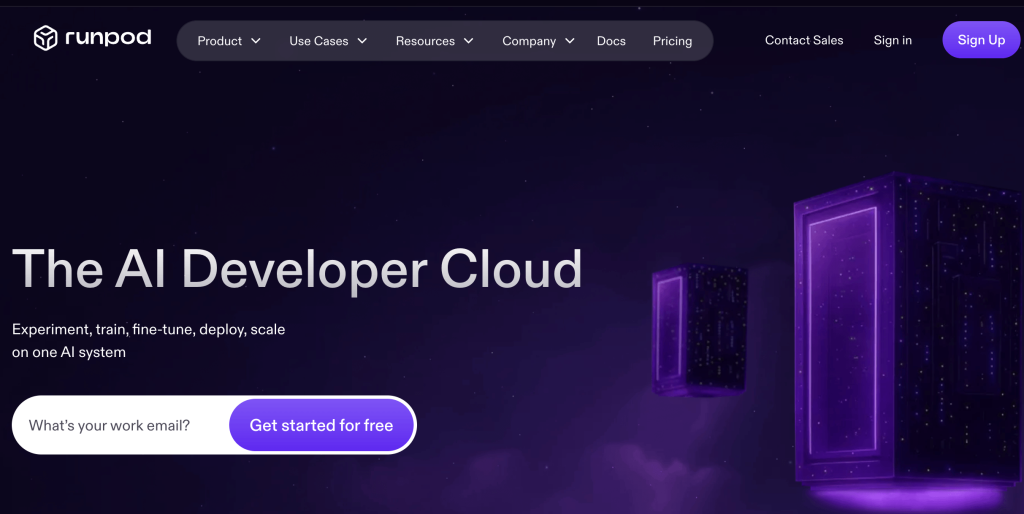
Building anything serious with AI used to leave you two bad choices: pay per API call forever, or drop $1,600 to $2,500 on a graphics card that sits idle most of the day. If you want to fine-tune a language model, generate AI art or video at volume, train a Stable Diffusion model, or host your own chatbot, you need real GPU horsepower — and owning it is expensive overkill for work that comes in bursts. RunPod is the third option that has quietly become the smart one: rent NVIDIA GPUs by the second, run your workload, and shut it off, paying only for the seconds you actually compute. With around 30 GPU types ranging from budget RTX 3090s at roughly $0.19/hour up to the latest H100, H200, and B200 accelerators, per-second billing, zero egress fees, and serverless inference endpoints with sub-200ms cold starts, RunPod has become one of the most popular ways for AI builders to get affordable compute without hyperscaler bills or long-term contracts.
For AI developers, ML engineers, indie hackers, startups, and technical creators monetizing AI, that pay-as-you-go model changes the entire cost equation. This 2026 review walks through everything that matters: what RunPod actually is, its three compute modes and two cloud tiers, the standout features, the full GPU-by-GPU pricing breakdown, how it compares to Vast.ai, Lambda Labs, and AWS, the honest limitations worth knowing, and exactly who should — and shouldn’t — use it.
RunPod Review 2026: Affordable, Per-Second GPU Cloud for AI Builders, Creators, and Startups
Overview and Background
RunPod is a cloud infrastructure platform that rents NVIDIA GPUs by the second for AI and machine-learning work. It doesn’t try to be a complete cloud like AWS — there are no managed databases or sprawling service catalogs here. It does one thing: give you fast, affordable access to GPUs, and it does that well. You spin up a GPU instance in seconds, run your training job or inference workload, and pay only while it’s running, billed by the second.
The platform offers three main compute modes. GPU Pods are dedicated container instances you control directly, ideal for development, training, and interactive work. Serverless provides auto-scaling inference endpoints that scale from zero and bill per second of actual compute, perfect for hosting models behind an API. And Clusters offer multi-node setups for distributed training. You deploy either a custom Docker image or one of dozens of prebuilt templates — PyTorch, vLLM, ComfyUI, and more — across roughly 30 GPU types and many global regions.
RunPod also splits its capacity into two tiers. Community Cloud aggregates GPU capacity from a distributed pool of hosts worldwide at the lowest prices — often 60–80% below the hyperscalers — with the tradeoff that an individual machine can occasionally go offline. Secure Cloud runs in vetted, datacenter-grade facilities for production-grade reliability at a modest premium. Combined with zero egress fees and no minimum spend, this structure lets you experiment cheaply and then move to rock-solid infrastructure when you have real users.

Why RunPod Stands Out in 2026
Genuinely cheap, per-second billing: This is the core appeal. RunPod charges by the second with no minimum spend, cutting GPU costs by anywhere from 40% to 85% compared with AWS, Google Cloud, or Azure for variable AI workloads. If you’ve been priced out of GPU work by hyperscaler bills, RunPod fundamentally changes the math — you pay for the minutes you compute and nothing more.
Serverless GPU is its killer feature: RunPod’s Serverless lets you deploy a model as an endpoint that scales from zero and bills per request, so you pay nothing while there’s no traffic. Its FlashBoot technology delivers standout cold-start performance — a large share of cold starts complete in under 200 milliseconds — and warm workers can keep models loaded for latency-sensitive apps. For inference with variable or bursty traffic, this crushes the cost of keeping a dedicated GPU running idle.
The broadest GPU catalog around: From budget RTX 3090s and RTX 4090s for prototyping and image generation, through A100s and L40S for inference and mid-size training, up to H100, H200, and B200-class accelerators for the heaviest jobs, RunPod offers one of the widest selections in the market — and it’s rarely fully sold out across all tiers, unlike some rivals where top GPUs vanish during peak demand.
Community and Secure Cloud flexibility: Few competitors give you both a cheap, marketplace-style pool and a vetted, datacenter-grade tier under one roof. Start a fault-tolerant training run on Community Cloud to save money, then deploy your customer-facing API on Secure Cloud for reliability — same platform, same workflow, your choice of price-versus-stability at every step.
Fast, simple setup: You can launch a GPU pod in seconds. Prebuilt templates for PyTorch, vLLM, ComfyUI, and popular models get you running in minutes, and you can connect via the web terminal, SSH, or a Jupyter notebook. For quick experiments — test a fine-tune config for twenty minutes, check the loss curves, kill it — per-minute pod billing saves real money versus providers that charge a one-hour minimum.
Zero egress fees and transparent pricing: Many clouds quietly bill you to move your own data out. RunPod doesn’t charge egress fees, and it publishes clear per-second and per-minute rates, so the price you see is the price you pay — a meaningful saving for data-heavy AI work.
Solid documentation and an active community: RunPod backs its platform with comprehensive docs, responsive ticket support, and an active, helpful Discord community — a real advantage over barebones marketplaces where you’re largely on your own when something breaks.
Key Features and Technology
RunPod’s strength is how cleanly its modes map to different stages of AI work. Here’s how the most important pieces break down.
GPU Pods: Dedicated Compute You Control
Pods are container instances you control directly — pick a GPU, pick a template or bring your own Docker image, and you get a full environment for development, training, and interactive work. You can connect through a browser terminal, SSH, or Jupyter, attach persistent storage, and expose ports for web UIs. Billing is per minute while the pod runs, which makes short, iterative experiments genuinely cheap and gives you complete flexibility over your software stack.
Serverless: Pay-Per-Request Inference
Serverless is built for deploying models behind an API. You package your model, set scaling parameters, and RunPod spins workers up on demand and back down to zero when traffic stops — so an endpoint with occasional requests costs almost nothing at idle. FlashBoot keeps cold starts fast, and you can configure warm workers to eliminate them entirely for latency-critical applications. The tradeoff is that serverless carries a per-compute-second premium over raw pod pricing, but for variable traffic it’s almost always cheaper than paying for an always-on GPU.
Community Cloud vs Secure Cloud
The two tiers let you trade price against reliability. Community Cloud taps a distributed pool of independent hosts for the lowest prices, ideal for training runs, experimentation, and batch jobs that can checkpoint and resume if a machine drops. Secure Cloud runs in professional datacenters with the reliability production demands, justifying its premium once you have paying users who’d notice downtime. A common, smart pattern is hybrid: Community Cloud for batch training and non-real-time work, Secure Cloud reserved for customer-facing services.
Templates, Storage, and Clusters
Prebuilt templates for PyTorch, vLLM, ComfyUI, and other popular tools get you productive fast, while network volumes give you persistent storage that survives between sessions. For larger jobs, Instant Clusters provide multi-node setups for distributed training. One honest caveat: multi-node training is effectively capped around eight GPUs without high-speed InfiniBand interconnect, and inter-pod networking bandwidth is modest — so if you’re pre-training a billion-parameter model from scratch, a specialist like Lambda or CoreWeave is a better fit. For the vast majority of fine-tuning, inference, and mid-size training, RunPod is more than enough.
Pricing, Plans, and Package Structure
RunPod is entirely usage-based — there’s no flat monthly plan and no perpetual free tier. You sign up for free, add credits, and pay per second (per minute for pods) only while compute is running. Pricing depends on the GPU and the tier, with Community Cloud cheaper and Secure Cloud carrying a premium for reliability; Serverless costs more per second but scales to zero. The figures below are approximate and fluctuate with supply and demand, so treat them as guidance and confirm the live rates on RunPod’s site before budgeting. Storage on network volumes is billed separately.
| GPU | Community Cloud (approx/hr) | Secure Cloud (approx/hr) | Typical Use |
|---|---|---|---|
| RTX 3090 | ~$0.19–0.22 | ~$0.39–0.49 | Students, light inference, prototyping |
| RTX 4090 | ~$0.34–0.44 | ~$0.69 | Image generation (ComfyUI), small-model fine-tuning |
| A100 80GB | ~$0.89–1.6 | ~$1.49 | Mid-size training and production inference |
| H100 | ~$1.99–2.4 | ~$2.89 | Large language models, transformer training |
| H200 / B200 | Premium (varies) | ~$5.89 (B200) | Cutting-edge, memory-heavy training and inference |
How RunPod Compares to Alternatives
| Factor | RunPod | Vast.ai | Lambda Labs | AWS / GCP / Azure |
|---|---|---|---|---|
| Model | Own DCs + community pool + serverless | Peer-to-peer marketplace | Curated ML cloud | Full hyperscale cloud |
| Price | Low (per-second) | Lowest on commodity GPUs | Moderate; cheapest A100 | Highest (40–85% more) |
| Reliability | High on Secure Cloud | Variable (host-dependent) | High | Very high |
| Serverless inference | Yes (a key strength) | No | Limited | Yes (complex, pricey) |
| Best for | Balanced price, flexibility, inference | Absolute cheapest raw compute | Large, reliable training runs | Deep enterprise integration |
vs. Vast.ai: Vast.ai is a pure peer-to-peer marketplace where independent hosts compete on price, which makes it consistently the cheapest way to get raw compute — RTX 4090s often dip to $0.25–0.30/hour. The tradeoff is variance: reliability, disk speed, and network bandwidth depend on the individual host, support is minimal, and you’re largely on your own. RunPod gives up a little on rock-bottom price in exchange for a more polished experience, a vetted Secure Cloud tier, serverless inference, and real support. For budget experiments where uptime isn’t critical, Vast.ai wins on cost; for a dependable, all-round platform, RunPod is the safer choice.
vs. Lambda Labs: Lambda is the go-to for serious, large-scale training — a curated, ML-focused cloud with premium support, high-end enterprise GPUs, and fast InfiniBand interconnects for distributed jobs where a single node failure could cost days. It often has the cheapest A100s. But its selection is narrower (no consumer GPUs), H100s can sell out at peak, and it bills a one-hour minimum with no serverless option. RunPod is more flexible for rapid prototyping, per-minute experiments, image generation, and pay-per-request inference. Choose Lambda for foundational training; choose RunPod for everyday building and inference.
vs. the hyperscalers (AWS, GCP, Azure): The big clouds are the enterprise default and the closest thing to a legacy option here — they offer unmatched breadth, compliance, and integration with services like S3 and BigQuery. But for AI compute specifically they’re dramatically more expensive (an H100 can cost several times what RunPod charges), with complex setup, GPU quotas, and egress fees. RunPod isn’t a full cloud and won’t replace your IAM or managed databases, but for the GPU-heavy part of AI work it delivers the same horsepower at a fraction of the cost and a tiny fraction of the hassle. Unless you’re locked into a hyperscaler’s ecosystem, RunPod is the smarter place to run the compute.
Pros and Cons
What Users Love
Dramatically lower cost: Per-second billing and prices 40–85% below the hyperscalers put serious GPU work within reach of solo builders and small startups for the first time.
Serverless that scales to zero: Pay-per-request inference with fast FlashBoot cold starts means hosting a model costs almost nothing when no one’s using it.
The widest GPU selection: Everything from cheap RTX 3090s to H100, H200, and B200 accelerators, rarely sold out, so you can match the hardware to the job and budget.
Fast, flexible, and template-friendly: Launch a pod in seconds, use ready-made PyTorch/vLLM/ComfyUI templates or your own Docker image, and pay by the minute for quick experiments.
No egress fees and helpful support: Transparent pricing with no charge to move your data out, backed by good docs and an active Discord community.
Limitations Worth Knowing
It’s easy to forget a running pod: A pod bills continuously while it’s up, so an idle instance you forgot to stop is the classic surprise-bill scenario — cost discipline is on you.
There’s a real technical barrier: RunPod assumes comfort with Docker, Linux, SSH, and ML tooling. Non-technical users will find it far less approachable than a managed AI API or a notebook service.
Community Cloud reliability varies: The cheapest instances run on independent hosts that can go offline, so anything important needs checkpointing or should run on Secure Cloud.
Not built for huge from-scratch training: Multi-node training is effectively capped around eight GPUs without InfiniBand, and inter-pod bandwidth is modest — large pre-training belongs on Lambda or CoreWeave.
Storage is billed separately: Persistent network volumes keep charging even while a pod is stopped, so unused storage quietly adds to your bill.
Prices fluctuate and there’s no free tier: Rates move with supply and demand, and there’s no permanent free plan — you’ll add credits to start and should re-check live pricing before big jobs.
Who Should Use RunPod
AI developers and ML engineers: If you fine-tune models, run experiments, and deploy inference, RunPod’s per-second pods and serverless endpoints are an ideal daily driver. Use Community Cloud for development and Secure Cloud or Serverless for production.
AI startups and indie hackers: Per-second billing and scale-to-zero serverless keep burn low while you find traction — you only pay for the compute your users actually trigger, which is exactly the cost profile an early-stage product needs.
Creators monetizing AI: Generating AI art and video at volume, fine-tuning a model as a service, or hosting your own chatbot is far cheaper renting a GPU by the second than buying one. An RTX 4090 on Community Cloud is the sweet spot for image and video generation with tools like ComfyUI.
Researchers and students: Cheap RTX 3090s and 4090s plus per-minute billing make RunPod excellent for coursework, papers, and budget-constrained experiments where you only need the GPU for short bursts.
Who should look elsewhere: In fairness, teams pre-training very large models from scratch will be better served by Lambda or CoreWeave’s high-bandwidth clusters, and non-technical users who just want AI results without managing infrastructure should use a managed API or notebook service instead.
Getting Started: Step by Step
- Create a free account and add credits. Signing up is free; you add credits or a payment method to start running GPUs, with no minimum spend.
- Choose your tier and GPU. Pick Community Cloud for cheap experimentation or Secure Cloud for reliability, then select a GPU that matches your workload and budget — don’t over-provision.
- Pick a template or bring your own image. Launch a prebuilt template like PyTorch, vLLM, or ComfyUI to get going in minutes, or deploy a custom Docker image for full control.
- Deploy and connect. Spin up the pod and connect via the web terminal, SSH, or a Jupyter notebook; attach a network volume if you need persistent storage.
- Run your workload — and checkpoint. Train, fine-tune, or run inference; if you’re on Community Cloud, save checkpoints regularly so you can resume if a host drops.
- Stop the pod when you’re done. Terminate the pod to stop billing — and for production inference, deploy a Serverless endpoint so you only pay when requests come in.
Tips for Getting Maximum Value
The single biggest money-saver is discipline: stop or terminate pods the instant you finish, since an idle running pod keeps charging. Use Community Cloud with regular checkpointing for training and batch work to save 60–80% versus the hyperscalers, and reserve Secure Cloud only for customer-facing production where downtime would cost you. For inference with variable traffic, deploy a Serverless endpoint so you pay nothing at idle rather than keeping a dedicated GPU warm. Match the GPU to the job — an RTX 4090 handles image generation and small fine-tunes cheaply, while H100s are overkill for anything but genuinely large models — and keep an eye on persistent storage, which bills even on stopped pods. Take advantage of zero egress fees for data-heavy work, and because rates shift with supply, check the live price (and any spot or community deals) before launching a big run. Start small, prove it works, then scale.
Future Outlook and Final Assessment
The tailwinds behind RunPod are strong. Demand for AI compute keeps climbing, yet GPU prices are softening as H200 and B200 supply ramps up, and these “neo-cloud” providers consistently deliver 40–85% lower costs than the hyperscalers. The per-second, pay-as-you-go model fits the explosion of indie AI builders, startups, and creators perfectly — people who need real GPU power in bursts, not a standing data-center bill. RunPod’s blend of low prices, the widest GPU catalog, both community and secure tiers, and best-in-class serverless inference positions it as one of the best all-round platforms for exactly this wave.
The honest caveats remain: it demands technical comfort, the billing model rewards vigilance, Community reliability varies, it isn’t built for hyperscale from-scratch training, and the wider GPU-cloud market is consolidating as some smaller rivals shut down. But within those boundaries, RunPod is one of the most capable, flexible, and genuinely affordable ways to run AI workloads in 2026 — and it turns the once-prohibitive cost of GPU compute into something almost anyone building with AI can afford.
Conclusion
RunPod has done something genuinely useful: it has made serious GPU compute affordable and accessible to the people actually building the AI wave — developers, startups, researchers, and creators who were once priced out by hardware costs and hyperscaler bills. It’s fast, flexible, broadly stocked, and clever where it counts, especially with serverless inference. It rewards a little technical know-how and a habit of switching pods off, but for anyone whose work depends on running models without breaking the bank, it’s a standout choice. Pick the tier and GPU that match your workload, keep an eye on your usage, and let RunPod handle the heavy lifting — making everything easy from your first experiment to your first thousand users.
Ready to rent serious GPU power by the second?
Explore more honest reviews, tutorials and tool comparisons to find the right tech for the way you work and live — at AI Solutes, where we make everything easy.
👉 Open Free Account: https://ai-solutes.com/runpod
👉 Our Website: https://ai-solutes.com/
👉 Our YouTube Channel: youtube.com/@ai-solutes
👉 Our Facebook Fanpage: Facebook
👉 Our X (Twitter): @AISolutes
- FreeTaxUSA: The Ultimate Guide to Free Federal Tax Filing in 2026
- Master Chatbase in 2026: Build Multichannel AI Chatbots to Boost Support and Sales
- PassFab 4WinKey and the Ecosystem of Account Management & Digital Data Recovery Tools
- Master the WhatConverts Keywords Report in 2026 to Attribute Leads and Boost Marketing ROI
- Master VEED AI Video Editor 2026: New Features, Pricing Plans, and Top Alternatives Compared















