

If your sales team still lives in a tangle of spreadsheets, sticky notes and half-remembered follow-ups, you already know the real cost: deals go cold not because the product was wrong, but because nobody made the next call in time. That single, expensive problem — leads slipping through the cracks — is exactly what Pipedrive was built to erase. Pipedrive is a sales-first CRM organized around a visual, drag-and-drop deal pipeline that shows every rep precisely where each opportunity stands and what to do next. Founded in Estonia back in 2010 by working salespeople who were fed up with bloated, admin-heavy systems, it takes an activity-first approach: instead of merely storing contacts, it constantly nudges you toward the call, email or task that actually moves a deal forward. With an entry price of roughly $14 per user per month on annual billing, more than 100,000 companies across 179 countries already on board, and a heavy 2024–2026 push into first-party AI, Pipedrive has become one of the most popular answers to a question every growing sales team eventually asks: how do we stop guessing and start closing predictably?
For small business owners, sales teams, agencies, freelancers running client pipelines, and any founder who is still their own head of sales, the appeal is immediate — a CRM you can set up in a morning, not a multi-month enterprise rollout. This 2026 review walks through Pipedrive’s core pipeline and activity engine, its growing suite of AI tools (Sales Assistant, Pulse, Agentic AI and Insights AI), the full four-tier pricing and the add-ons that quietly inflate it, honest comparisons with HubSpot, Zoho and Salesforce, the real limitations, and exactly who should — and shouldn’t — sign up.
Pipedrive Review 2026: The Sales-First CRM Built by Salespeople to Turn a Messy Pipeline Into Predictable Revenue
Overview and Background
Pipedrive is a cloud-based customer relationship management platform designed primarily for sales teams to manage leads, deals and the entire sales process in one place. Its founding story is also its core philosophy: the company was started in 2010 by sales professionals who were frustrated that most CRMs were built for managers who wanted reporting, not for reps who needed to sell. Their answer was a tool built the opposite way — deal-centric, activity-based, and visual, so that the next action on every opportunity is always obvious and never buried under configuration.
Today Pipedrive is a substantial, well-funded company rather than a scrappy startup. As of early 2026 it serves over 100,000 companies across 179 countries, generates roughly $207 million in annual revenue, and employs around 900 people. Headquartered in Tallinn, Estonia with a major presence in New York, it is backed by investors including Vista Equity Partners and Bessemer Venture Partners and carries a valuation around $1.5 billion. On the review platforms it scores consistently well — roughly 4.3–4.4 out of 5 on G2 and about 4.5 on Capterra — with praise clustering around ease of use and frustration around add-on costs and automation limits, both covered honestly below.
The most important thing to understand before evaluating Pipedrive is what it is not. It is not an all-in-one marketing-and-service platform like HubSpot, nor an infinitely customizable enterprise system like Salesforce. It is a focused sales-execution tool — it does pipeline management, deal tracking, email sync, automation and forecasting cleanly and quickly, and deliberately leaves heavier marketing automation and deep enterprise customization to other tools (or its own add-ons). Buyers expecting a complete sales-and-marketing suite out of the box are the ones most likely to be disappointed, so it’s worth setting that expectation up front.
Why Pipedrive Stands Out in 2026
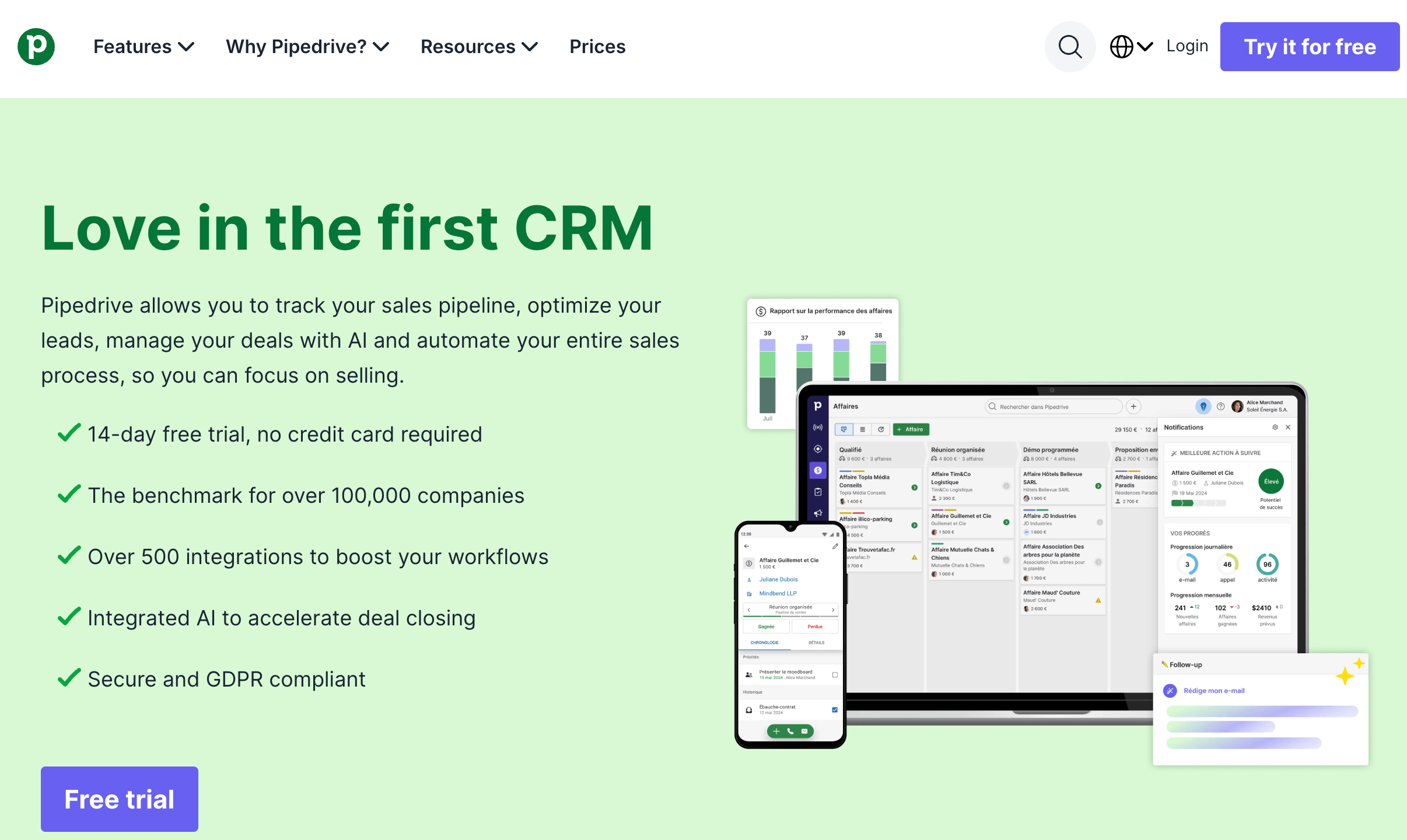
A visual pipeline that reps actually enjoy using: The centerpiece of Pipedrive is a drag-and-drop Kanban board where every deal lives as a card that you pull through stages you define — lead, qualified, proposal, negotiation, won. It is widely regarded as the best-in-class pipeline interface for small and mid-sized sales teams, and the difference shows up in adoption: dragging a deal from one stage to the next updates the record, triggers any linked automation and notifies stakeholders in under a second, with no page reload. When a tool is this pleasant to use, reps keep it updated — and a CRM that stays current is the only kind that’s actually worth anything.
Activity-based selling that prevents cold deals: Pipedrive’s guiding principle is that every open deal should always have a next scheduled activity — a call, email, meeting or task. The interface keeps that next action visible and flags it when it’s overdue, so opportunities don’t quietly die from neglect. This sounds simple, but it’s the mechanism that turns a passive contact database into an engine that pushes deals forward, and it’s the reason many teams close more after switching, even before touching the fancier features.
First-party AI that’s genuinely useful, not just a buzzword: Pipedrive has invested heavily in AI since 2024, and the tools have real substance. The AI Sales Assistant analyzes your deals, contacts and email activity to predict win probability, flag stalled or neglected deals, and recommend the next best action — acting like an always-on sales mentor. It’s now used by over 60% of active customers. Independent testing found it surfaced realistic next-step recommendations on roughly three-quarters of deals after just two weeks of activity history. Crucially, it’s honest about what it is: a suggestion engine that helps you prioritize, not an autonomous agent that acts without you.
Pulse, Agentic AI and Insights AI extend the toolkit further: Beyond the core assistant, Pipedrive’s newer AI layer includes Pulse, a prospecting toolkit that analyzes each contact’s history, engagement and sentiment to surface the deals with the strongest buying intent, plus lead scoring and automated email sequences. Agentic AI handles automatic call and meeting summaries, and Insights AI generates reports from plain natural-language prompts instead of hand-built dashboards. Pipedrive powers these with a mix of its own engines and OpenAI, and states that your CRM data is not used to train AI models.
AI included across tiers, not paywalled at the top: One quietly significant advantage: the AI Sales Assistant is available even on the entry Lite plan, with more advanced AI email and reporting tools unlocking on higher tiers — and there’s no separate AI add-on fee. That compares favorably with HubSpot, where the most powerful Breeze AI features are concentrated in expensive Professional and Enterprise plans. For teams that want to put AI to work without a premium upgrade, this matters.
Fast to deploy and easy to adopt: Where enterprise CRMs demand consultants and months of configuration, most teams get Pipedrive running in a single morning — invite users, connect Gmail or Outlook for two-way email sync, set up your stages, and you’re selling. The learning curve is low enough that new hires are productive quickly, and the built-in Import2 tool migrates directly from 30-plus platforms including Salesforce and HubSpot, free for up to a million records. Every week without CRM visibility is a week of leaked pipeline, so speed to value is a real edge.
A deep integration ecosystem and open API: Pipedrive connects to 400–500+ tools through its marketplace — Slack, Zoom, Google Workspace, Microsoft, Trello and hundreds more — and offers open REST API access for custom builds. That keeps it at the center of your sales stack instead of forcing you to abandon tools your team already relies on, and it’s why the platform scales gracefully as your workflow grows.
Key Features and Technology
Pipedrive’s strength is how cleanly its capabilities map to the actual stages of a sales workflow — capturing leads, working deals, communicating, automating the busywork, and forecasting the outcome. Here’s how the platform breaks down.
Pipeline, Deals and Activity Management
This is the core. You build fully customizable pipelines with stages that mirror your real process, then manage leads, deals and contacts as cards that move through them. Custom fields capture the exact data your team needs — industry, deal source, product interest — and smart formulas automate calculations across records. Every deal carries its full context: linked contacts, communication history, notes and the all-important next scheduled activity. Unlimited contacts are included on every plan, so your database grows without a storage surcharge.
Email Sync, Tracking and the Meeting Scheduler
From the Growth plan upward, Pipedrive offers two-way email sync — connect up to five accounts so messages auto-associate with the right deal and contact, with customizable templates to respond faster. Email tracking shows when a prospect opens your message, letting reps follow up at the exact moment interest peaks. A built-in scheduler lets leads book time on your calendar and auto-generates Google Meet, Zoom or Teams links, while calendar sync keeps your schedule in one view. Important caveat: full email sync is not available on the entry-level Lite plan.
Workflow Automation and Sequences
Available from Growth up, Pipedrive’s automation builder handles trigger-action workflows — send an email when a lead reaches a stage, assign a deal when it’s created, schedule a follow-up when an email is opened. Pulse Sequences add pre-built, customizable templates for common scenarios, like a multi-day nurture that mixes automated emails with scheduled activities. This reliably removes a large share of repetitive admin. Its key limitation, covered below, is that the native builder doesn’t support branching if/then logic, so conditional workflows require Zapier or Make.
Reporting, Forecasting and Data Enrichment
Pipedrive turns pipeline data into visual reports and dashboards that reveal win rates by stage, conversion velocity and where deals stall, and its revenue forecasting projects earnings from recurring and one-off deals so you can adjust early. The AI-driven Data Enrichment feature (which replaced the older Smart Contact Data in 2025 with broader sourcing) automatically fills in missing prospect details, saving reps manual research and helping them qualify faster.
Pricing, Plans, and Package Structure

Pipedrive is a per-seat subscription billed per user, per month, and every plan is cheaper on annual billing than month-to-month (annual saves 20–35% but locks you in for 12 months, non-refundable). In February 2026 the lineup was simplified from five plans to four — Lite, Growth, Premium and Ultimate. The seat price, though, is rarely the final price. Pipedrive’s real cost story is add-on creep: optional extras like LeadBooster (chatbot, live chat, prospector, web forms; ~$32.50/mo per company), Web Visitors (visitor ID, from ~$49/mo), Campaigns (email marketing; ~$13.33/mo), Smart Docs and Projects can push a small team’s bill well beyond the base. Budget for the workflow you’ll actually run. The ranges below are approximate and move with promotions and region, so confirm the live price on Pipedrive’s site.
| Plan | Approx. Price (billed annually) | What You Get | Best For |
|---|---|---|---|
| Lite | ~$14/user/mo (~$24 monthly) | Visual pipeline, lead/deal/contact management, AI Sales Assistant, AI-powered reports, 500+ integrations | Solo founders and small teams setting up a clean pipeline fast (no email sync or automation) |
| Growth | ~$39/user/mo (~$49 monthly) | Adds two-way email sync + templates, workflow automation builder, meeting scheduler | Growing teams that need automation, email sync and scheduling — the popular starting point |
| Premium | ~$49–59/user/mo (~$79 monthly) | Adds LeadBooster + Projects (included), AI email tools, contracts & e-signatures, revenue forecasting, 24/7 support | Established SMB sales teams wanting the full toolkit in one plan |
| Ultimate | ~$79/user/mo (~$99 monthly) | Everything in Premium plus the highest usage limits, advanced security, deeper data enrichment and dedicated support | Larger teams needing scale, security and priority support |
| Key add-ons (optional) | ~$13–49+/mo each | LeadBooster, Web Visitors, Campaigns, Smart Docs, Projects — mostly billed per company, not per seat | Teams needing lead capture, marketing email or visitor tracking on cheaper plans |
How Pipedrive Compares to Alternatives
| Factor | Pipedrive | HubSpot | Zoho CRM | Salesforce |
|---|---|---|---|---|
| Core focus | Sales pipeline & execution | All-in-one CRM + marketing + service | Broad CRM, value-priced | Enterprise-grade, highly customizable |
| Free plan | No (14-day trial) | Yes (limited) | Yes | No |
| Entry price (annual) | ~$14/user/mo | Free, then ~$15–90+/user/mo | ~$14–17/user/mo | ~$25/user/mo, $80+ for real features |
| Ease of use / setup | Very easy, deploys in a day | Easy start, complex at scale | Moderate | Steep; often needs admins |
| Built-in AI | Sales Assistant on all tiers, no extra fee | Breeze AI, mostly higher tiers | Zia AI, tier-dependent | Einstein, powerful but premium |
| Native marketing automation | Basic (Campaigns add-on) | Strong (its core strength) | Solid | Strong (Marketing Cloud) |
| Best for | Sales-driven SMBs, 2–50 reps | Sales + marketing under one roof | Budget-conscious all-rounders | Large, complex sales orgs |
vs. HubSpot: HubSpot is the natural alternative for teams that want sales and marketing genuinely unified — landing pages, email marketing, forms and service tools alongside the CRM — and it offers a real free tier, which Pipedrive doesn’t. The trade-off is that HubSpot’s paid tiers scale up quickly in both price and complexity, and its most powerful features (including Breeze AI) tend to live in the pricier Professional and Enterprise plans. Pipedrive is generally cheaper, faster to adopt, and more sales-focused; HubSpot wins when marketing is a first-class part of your workflow and budget allows.
vs. Zoho CRM: Zoho is Pipedrive’s most direct value rival — it offers a free plan, bundles automation into lower tiers, and its Professional plan runs at a similar or lower per-seat price with more included. If cost is your single deciding factor, Zoho (or its lightweight sibling Bigin) is worth a hard look. Pipedrive’s counter-argument is user experience and adoption: its pipeline interface and activity-based design are cleaner and more likely to get an entire team actually using the CRM daily, which is where most CRM investments quietly succeed or fail.
vs. Salesforce: Salesforce is the enterprise heavyweight — near-limitless customization, territory management, complex approvals and the mature Einstein AI. But that power comes with real cost and complexity: meaningful functionality typically requires $80+ per seat and dedicated admin resources. For a sales-driven SMB of 2–50 reps, Pipedrive delivers the great majority of the day-to-day value at a fraction of the price and setup effort. Teams scaling past roughly 25 reps with heavy customization needs are the ones who may eventually outgrow Pipedrive’s caps and graduate to Salesforce.
Pros and Cons
What Sales Teams Love
The cleanest pipeline UX in the category: Reviewers repeatedly single out the visual, drag-and-drop pipeline as best-in-class for SMB sales. It’s uncluttered even at high deal volume, and its clarity is the single biggest reason whole teams adopt it quickly and keep it updated — the make-or-break factor for any CRM.
Genuinely fast to set up and easy to run: Most teams are live in a single morning with no consultants — connect email, build stages, import data, and go. The low learning curve means minimal training and fast productivity for new hires.
Real, included AI: The AI Sales Assistant surfaces win-probability predictions, flags stalled deals and recommends next actions — on every tier at no extra charge, a meaningful edge over rivals that concentrate AI in premium plans.
Strong reporting and forecasting: Win-rate-by-stage, conversion velocity and revenue forecasts are available without heavy configuration, giving managers insight into pipeline health almost immediately.
Affordable entry point and deep integrations: A ~$14/user starting price plus 400–500+ integrations and open API access mean small teams can start cheaply and keep the tools they already use — a rare combination of low cost and real extensibility.
Effortless email tracking that times follow-ups: Two-way sync plus open tracking lets reps reach out at the precise moment a prospect is engaged, turning a passive inbox into an active selling signal.
Limitations Worth Knowing
No permanent free plan: Pipedrive offers only a 14-day trial, then it’s pay-to-play. If a free tier for proof-of-concept or a solo side project is essential, Zoho CRM, Freshsales and HubSpot all provide one and Pipedrive doesn’t.
Add-on cost creep is real: The attractive base price can be misleading. Lead capture (LeadBooster), visitor tracking (Web Visitors), email marketing (Campaigns) and more are paid extras, and a small team’s bill can easily climb from the advertised base into the $150–300+/month range once the features it needs are switched on.
Automation lacks native branching: The workflow builder handles trigger-action flows well, but can’t do conditional if/then logic natively — routing “if the deal is over $50,000, send to a senior rep, otherwise the standard queue” means leaving Pipedrive for Zapier or Make. High-volume or complex automation hits this wall fast.
Weak native marketing automation: Pipedrive is a sales tool first. Its Campaigns add-on covers basic email blasts but is not a substitute for a dedicated marketing platform like HubSpot or ActiveCampaign, so marketing-heavy teams will need a separate tool.
Entry-level Lite is thin: The Lite plan omits email sync, automation and the meeting scheduler, which makes it closer to a demo than a working sales setup for most teams — plan on Growth or above to get the features that make Pipedrive worthwhile.
Customization and scale caps: Deep enterprise customization, territory management and complex approvals aren’t Pipedrive’s strength, and very large pipelines (roughly 5,000+ active deals in one view) can slow the interface. Teams scaling well past 25 reps with heavy custom needs may eventually outgrow it — and the AI Sales Assistant, while useful, is a suggestion engine, not an autonomous agent that acts on its own.
Who Should Use Pipedrive
Sales-driven small and mid-sized businesses: If your primary challenge is executing a sales process — moving deals through stages and never dropping a follow-up — Pipedrive is arguably the best fit on the market for teams of roughly 2–50 reps. Start on the Growth plan for the full engine of email sync, automation and scheduling.
Teams migrating off spreadsheets or a clunky CRM: The fast setup, low learning curve and free migration tool make Pipedrive the easiest landing spot for teams graduating from Google Sheets or abandoning a bloated system nobody updates. A Lite trial to feel the interface, then Growth to go live, is the natural path.
Agencies, consultants and freelancers with client pipelines: Clear stages, clean handoffs and activity reminders suit anyone juggling multiple client deals at once. The Growth or Premium plan handles this comfortably, with Smart Docs useful for sending proposals and collecting e-signatures.
Founder-led sales and lean startups: When the founder is also the head of sales, the low entry price and speed to value matter enormously — you get pipeline visibility and AI prioritization without an enterprise rollout. Begin on the trial and lean on the AI Sales Assistant to focus limited time on the deals most likely to close.
Who should look elsewhere: Marketing-and-sales teams needing integrated campaigns should evaluate HubSpot; budget-first buyers who need a free tier should consider Zoho or Freshsales; and large enterprises requiring deep customization and territory management will be better served by Salesforce.
Getting Started: Step by Step
- Start the free trial. Sign up for the 14-day trial with full feature access — no credit card required. You’ll get to test the higher-tier features, so you can evaluate email sync, automation and forecasting before spending anything.
- Set up users and pipeline stages first. Invite your team and build pipeline stages that mirror your real process before importing data, so every record is assigned to the right person and stage from the start.
- Import your existing data. Bring in contacts and deals via Import2 (direct migration from 30+ CRMs including Salesforce and HubSpot, free up to a million records), a CSV/Excel upload, or the REST API, and set up any custom fields at this stage.
- Connect email and calendar. Link Gmail or Outlook for two-way email sync (up to five accounts) and connect your calendar so scheduling, tracking and reminders live in one workspace.
- Turn on the AI Sales Assistant and automations. Have an admin enable the AI features, then set up a few trigger-action automations for follow-ups and deal routing to remove repetitive admin from day one.
- Work the board daily. Make sure every open deal always has a next scheduled activity, drag deals through stages as they progress, and let the assistant flag at-risk deals and recommend next actions.
- Pick your plan and add-ons deliberately. Before the trial ends, choose the tier (usually Growth) that matches your workflow, and add only the extras you’ve confirmed you’ll actually use — then switch to annual billing for the discount once you’re committed.
Tips for Getting Maximum Value
Treat the base plan and the add-ons as two separate budgeting decisions: figure your real monthly total as (seat price × users) plus the specific extras your workflow needs, and don’t switch on LeadBooster, Web Visitors or Campaigns until you’ve confirmed a genuine use for each — this is where “cheap CRM” bills quietly balloon. Resist over-buying seats and tiers; most small teams are fully served by Growth, and you can always upgrade as you scale rather than pay for Ultimate features you won’t touch. If you’ll use Pipedrive for a year or more, annual billing saves 20–35%, but if you’re still evaluating, stay on monthly since the annual commitment is non-refundable. Test the higher-tier features on real data during the trial, and use the free Import2 migration to move cleanly off your old system. Finally, put the AI to work early — let the Sales Assistant prioritize your pipeline and Pulse surface high-intent leads — because the teams that see the biggest lift are the ones who let the tool tell them where to focus.
Future Outlook and Final Assessment
The direction of travel favors Pipedrive. It has invested aggressively in first-party AI across 2024–2026 — the Sales Assistant, Pulse, Agentic AI for call and meeting summaries, and Insights AI for natural-language reporting — adding real capability rather than marketing gloss, while simplifying its pricing to a cleaner four-tier lineup. With steady revenue growth, deep-pocketed backers and a loyal base of 100,000+ companies, Pipedrive is well positioned as sales teams increasingly expect their CRM to actively guide their day, not just record it. Its bet on being the sharpest sales-execution tool, rather than everything to everyone, looks like the right one for its market.
The honest caveats remain: there’s no free plan, add-on creep can push the real cost well above the sticker price, native automation can’t branch, and marketing-heavy or enterprise-scale teams will need something else. But within its lane — sales-focused SMBs who want a CRM their whole team will actually use — Pipedrive delivers one of the most polished, fastest-to-adopt and most genuinely useful packages available in 2026, and it does so at a price that makes the decision easy for the vast majority of growing sales teams.
Conclusion
Pipedrive has built something increasingly rare: a CRM that reps genuinely want to use. Born from salespeople’s own frustration with bloated software, it stays true to a single, powerful idea — make the next action on every deal obvious, and deals stop slipping away. It’s fast to deploy, affordable to start, packed with real (and included) AI, and honest about its sales focus rather than pretending to be an all-in-one suite. Confirm the live pricing, pick the tier that matches how your team sells, and be deliberate about add-ons, and Pipedrive turns one of the hardest parts of running a business — keeping a pipeline moving predictably — into something that finally feels under control, making everything easy from the first deal to the close.
Ready to stop losing deals and start closing predictably?
Explore more honest reviews, tutorials and tool comparisons to find the right tech for the way you work and live — at AI Solutes, where we make everything easy.
👉 Open Free Account: https://www.pipedrive.com/
👉 Our YouTube Channel: youtube.com/@ai-solutes
👉 Our Facebook Fanpage: Facebook
👉 Our X (Twitter): @AISolutes
- Discover Top Embroidery Online Trends and AI-Powered Services Shaping Textile Arts in 2026
- Will ADP Revolutionize Your Talent Acquisition? Evaluating Their Latest HR Tech
- Does Stardock Fences Maximize Daily Workspace Organization? A Closer Look at Stardock’s Desktop Partitioning Framework
- StudyMonkey AI
- Chatbase 2026 Review: Build No-Code AI Agents to Automate Customer Support Across Every Channel















