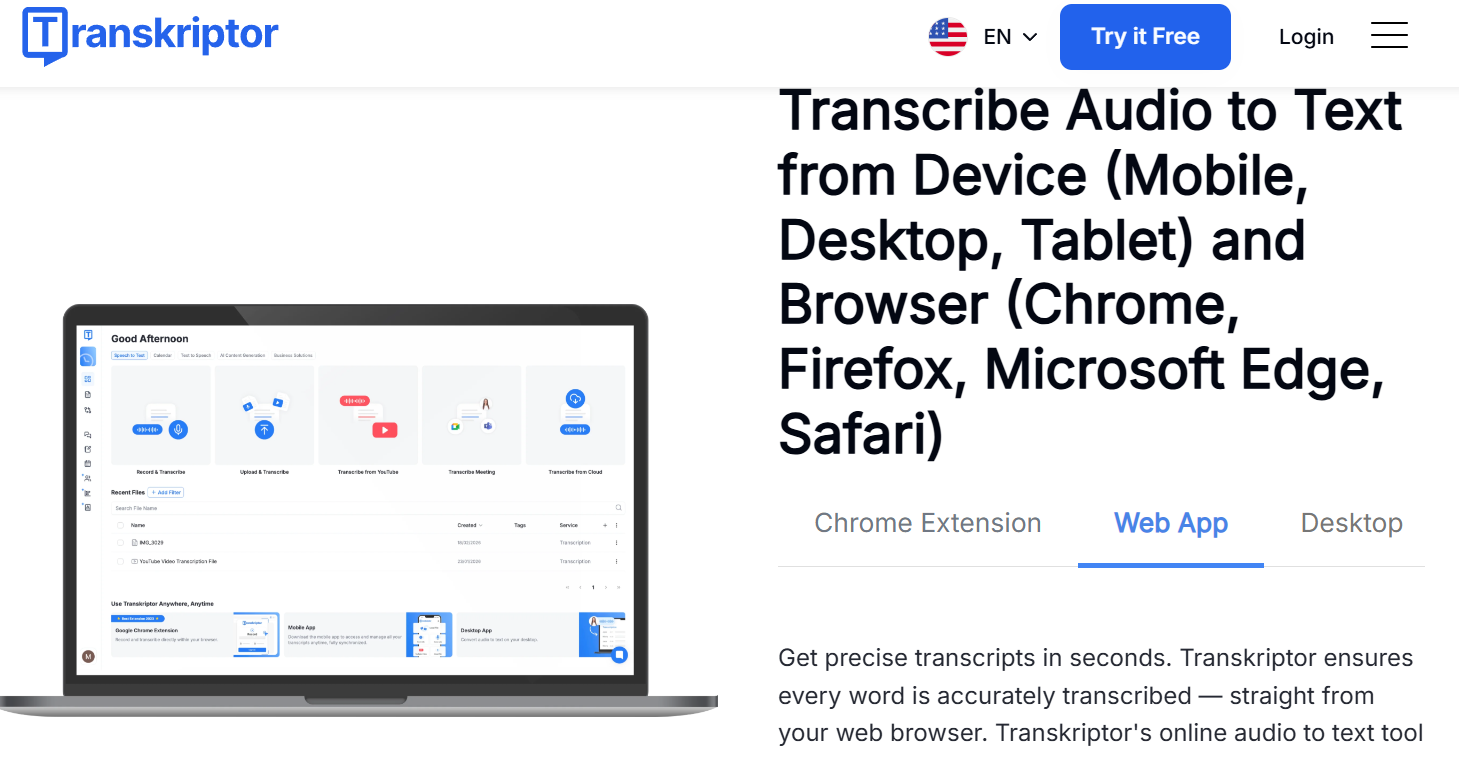
If you've ever sat through a two-hour meeting, an hour-long interview, or a semester's worth of lecture recordings and thought “I really don't want to type all of this out,” you already understand the problem Transkriptor was built to solve. Transkriptor is an AI-powered transcription and meeting-assistant platform that converts audio and video into searchable, editable text in more than 100 languages, and it can join your Zoom, Microsoft Teams, or Google Meet calls automatically to record and summarize them for you. With plans starting under $10 a month on annual billing, a free tier to test the waters, and a combined rating north of 4.7 out of 5 across Trustpilot, Capterra, and G2 from thousands of reviewers, it has become one of the more recognizable names in AI transcription since launching in 2020.
For students, journalists, researchers, podcasters, consultants, and any professional who spends real hours in meetings or interviews, the appeal is obvious: stop taking notes, start actually listening. This 2026 review walks through what Transkriptor does well, how its pricing and plans actually break down, how it stacks up against Otter.ai and other alternatives, the honest limitations reviewers keep flagging, and exactly who should (and shouldn't) subscribe.
Transkriptor Review 2026: The AI Transcription and Meeting Assistant That Turns Talk Into Text
Overview and Background
Transkriptor is a speech-to-text SaaS platform built by a Delaware-based company that launched the product around 2020 with a simple mission: use AI to remove the manual grind of turning spoken conversations into written records. The core idea was never complicated. Upload or record audio or video, let the AI model transcribe and organize it, and hand back a clean, editable, searchable transcript in minutes instead of hours.
Since then, the platform has grown well beyond a basic file-to-text converter. Transkriptor now offers a full meeting assistant that can be connected to your calendar to automatically join and record Zoom, Microsoft Teams, and Google Meet calls, an AI chatbot you can query about the contents of any transcript, automatic meeting notes and action-item detection, and translation into any of its 100-plus supported languages. The company has also expanded into a small suite of sister products under the same account, including Speaktor (text-to-speech) and Eskritor (AI writing assistant), so a single subscription can stretch across more than just transcription.
Transkriptor markets itself heavily to individuals, freelancers, and small-to-mid-size teams rather than enterprise call centers, and it distributes through its own website, mobile apps for iOS and Android, and a Chrome extension that Google recognized among the best of its category in 2023. The company states it holds ISO 27001, SOC 2, and GDPR compliance, which matters if you're transcribing anything sensitive like legal dictation, HR conversations, or client interviews.
Why Transkriptor Stands Out in 2026
Genuinely broad language coverage: Transkriptor supports transcription and translation across more than 100 languages, which is a meaningfully wider net than several well-known competitors that cap out around three or four core languages. For multilingual teams, researchers working with international interview subjects, or content creators localizing audio for global audiences, this is one of the platform's clearest advantages.
A meeting assistant that runs itself: Once you connect your calendar, Transkriptor can automatically join scheduled Zoom, Teams, or Google Meet calls, record them, and generate a transcript and AI summary without you touching a button. That “set it and forget it” workflow is what turns Transkriptor from a transcription tool into a genuine productivity habit for people whose calendars are full of recurring calls.
Conversational AI chat on your own transcripts: Rather than scrolling through a 40-minute transcript to find the one decision that was made, Transkriptor's AI chatbot lets you ask plain-language questions about a recording — “what did we agree on for the budget?” — and pulls the answer straight from the text. Multiple reviewers single this feature out as unexpectedly useful in daily work.
Affordable entry point: At roughly $8 to $10 per month on annual billing for the entry paid tier, Transkriptor undercuts several rivals on headline price, which matters for students, freelancers, and solo professionals who don't want an enterprise-grade invoice for occasional transcription needs.
Flexible export formats: Transcripts export cleanly to plain text, Microsoft Word (DOCX), and SubRip (SRT) subtitle files, so the same recording can become meeting minutes, a blog draft, or captions for a video without re-processing the audio.
A track record with real users: Transkriptor carries a 4.8-out-of-5 rating on both Trustpilot and Capterra and 4.7 out of 5 on G2, drawn from a large volume of verified reviews. That consistency across three independent review platforms is a reasonably strong signal that the core product delivers on its promise for most users, even if individual experiences vary by language and audio quality.
Key Features and Technology
Transkriptor's feature set breaks down into a few clear pillars: core transcription, meeting automation, AI-assisted analysis, and collaboration tooling. Here's how each one works in practice.
Core Transcription and Editing
You can upload pre-recorded audio or video files, paste a URL, or record directly inside the app (including screen recording). The AI engine returns a time-stamped transcript with automatic speaker separation, and Transkriptor advertises accuracy up to 99% on clean audio — a figure that, like every automated transcription vendor's headline accuracy claim, depends heavily on recording quality, accents, and background noise. The built-in editor lets you correct text inline, adjust speaker labels, and search the transcript by keyword, though several long-time users note the editor can feel clunky when you're trying to nudge timestamps around specific words.
Meeting Assistant and Calendar Integration
Connect Google Calendar or Outlook and Transkriptor's bot will join your scheduled video calls, record them, and generate a transcript plus an AI-written summary and action-item list once the call ends. This is the feature that most directly competes with dedicated “AI notetaker” tools like Otter.ai and Fireflies, and it works across the three major platforms most teams actually use: Zoom, Microsoft Teams, and Google Meet.
AI Chat, Summaries, and Translation
Every transcript can be summarized automatically, queried through the AI chatbot, and translated into any supported language with a click. For researchers working across languages or teams that need a quick executive summary instead of a full transcript, this cuts out a genuinely tedious manual step.
Collaboration and Integrations
Higher-tier plans add shared workspaces where teammates can view and edit the same transcripts with configurable permissions. Transkriptor integrates with Microsoft Word, Google Drive, Notion, and the Chrome extension, plus workflow tools like Asana and monday.com, so transcripts and summaries can flow directly into wherever your team already documents work.

Pricing, Plans, and Package Structure
Transkriptor uses a subscription model with a fixed number of transcription minutes included per billing cycle rather than pay-as-you-go pricing. Annual billing brings a meaningful discount over paying month to month across every paid tier. Note this is a recurring subscription cost, and prices/allowances have shifted before, so treat the figures below as a strong starting reference rather than gospel.
| Plan | Price | Transcription Minutes | Best For |
|---|---|---|---|
| Free | $0 | Limited daily minutes (one transcription per day) | Testing the platform before committing |
| Pro | ≈ $8–10/mo billed annually (≈ $20/mo billed monthly) | ~2,400 minutes (40 hours) per month | Individuals, freelancers, students |
| Team | $20/user/mo billed annually ($30/user/mo billed monthly) | ~3,000 minutes (50 hours) per seat, per month | Small teams needing shared workspaces and call analytics |
The Team plan builds on Pro with a collaborative shared workspace, a searchable knowledge base across transcripts, call analytics (speaker talk-time, sentiment tracking), and user roles and permissions for admin control — features aimed squarely at small businesses managing multiple recurring meetings across a staff.
How Transkriptor Compares to Alternatives
| Tool | Starting Price (Annual) | Language Support | Pricing Model |
|---|---|---|---|
| Transkriptor | ≈ $8–10/mo | 100+ languages | Subscription, fixed monthly minute cap |
| Otter.ai | ≈ $8.33/mo (Pro) | English, French, Spanish | Subscription, fixed monthly minute cap |
| Sonix | $10/hour (pay-as-you-go) | 49 languages | Usage-based, no subscription required |
| DIY / Manual transcription | $0 (your time) or $1–3/min (human service) | Depends on transcriber | Free but slow, or expensive and outsourced |
vs. Otter.ai: Otter is the closest direct competitor and arguably has a slightly more polished meeting-notetaker experience for English-first teams, but it only supports English, French, and Spanish. If your work spans other languages, Transkriptor's 100-plus language coverage is the deciding factor. Otter's free tier is also more usable out of the box (300 minutes/month vs. Transkriptor's much tighter free allowance), but Transkriptor's paid Pro plan generally includes more monthly minutes for a comparable price.
vs. Sonix: Sonix's pay-as-you-go model is the better fit if your usage is unpredictable or seasonal, since you only pay for hours actually processed rather than a fixed monthly bucket. Transkriptor wins on the meeting-automation side, with calendar integration and an AI chatbot that Sonix doesn't emphasize to the same degree.
vs. manual/DIY transcription: Typing out your own recordings costs nothing but time — and that time adds up fast, since transcribing one hour of clear audio manually typically takes three to four hours. Outsourcing to a human transcription service runs $1 to $3 per minute, which makes Transkriptor's roughly $0.20-per-hour effective cost on the Pro plan look like an easy trade for anything beyond occasional, highly sensitive, or legally critical recordings.
Pros and Cons
What Users Love
Fast, accurate transcription on clear audio: Reviewers consistently praise transcription speed and accuracy when the source recording is clean, describing files being ready within minutes even for longer recordings.
Strong multilingual performance: Multiple reviewers specifically praise accuracy in less commonly supported languages, with one user noting Transkriptor correctly handled archaic Turkish vocabulary that had tripped up other tools.
The AI chat feature earns genuine praise: Users repeatedly call out the AI chatbot as “incredible” for quickly pulling specific details out of long transcripts without re-reading the whole thing.
Responsive human support: Despite an AI-first product, several reviewers highlight positive experiences with human support agents resolving billing and account issues that the chatbot couldn't handle.
Limitations Worth Knowing
Accuracy drops on difficult audio: Background noise, overlapping speakers, and heavy accents remain a real weak point, as they do for essentially every automated transcription tool. Some reviewers report specific languages performing noticeably worse than the advertised near-99% accuracy figure.
Pricing feels steep to some users, especially outside the U.S.: A recurring theme across Capterra and G2 reviews is that pricing feels high relative to usage caps, particularly for users billed in currencies with unfavorable exchange rates, and there's no way to purchase one-off extra minutes on a recurring plan without upgrading the whole tier.
Editing friction: The built-in editor can be fiddly when adjusting timestamps — pressing Enter or Backspace near a timestamp can shift it unexpectedly, forcing manual correction.
Auto-renewal complaints: A handful of reviewers describe frustration with subscriptions auto-renewing without a clear reminder, though the cases that surface publicly show Transkriptor's support team ultimately processing refunds. Set a calendar reminder before your renewal date to avoid the hassle, and note the refund window is generally limited to 7 days after purchase.
Who Should Use Transkriptor
Students and researchers: If you're recording lectures, thesis interviews, or focus groups, Transkriptor's speed and language range mean you can stop scribbling notes and focus on the conversation. The Pro plan's 40-hour monthly allowance comfortably covers a full course load or an active research schedule.
Journalists and content creators: Fast turnaround on interviews, easy translation for international sources, and SRT export for video captions make Transkriptor a practical fit for anyone regularly turning spoken content into published text or subtitles.
Small business owners and consultants: Calendar-synced meeting recording removes the mental overhead of manually starting a recorder for every client call, and the AI summaries make it easy to send a client a clean recap without extra typing. The Pro plan is the right starting point.
Small teams managing recurring meetings: If more than one person needs access to the same transcripts, plus call analytics and shared knowledge search, step up to the Team plan.
Occasional or one-off users: If you only need to transcribe a handful of files a year, the free tier or a pay-as-you-go competitor like Sonix will likely cost you less than committing to a recurring Transkriptor subscription.

Getting Started: Step by Step
- Create a free account. Sign up on Transkriptor's website with an email address — no credit card required for the free tier.
- Run a test transcription. Upload a short audio or video file, or paste a URL, and check the accuracy against your typical recording conditions before committing to a paid plan.
- Connect your calendar (optional). Link Google Calendar or Outlook if you want the meeting assistant to auto-join and record your scheduled Zoom, Teams, or Google Meet calls.
- Pick the right plan. Match your expected monthly minutes to Pro or Team, and choose annual billing if you're confident you'll stick with it, since the discount is substantial.
- Install the Chrome extension and mobile app. This lets you capture audio directly from your browser or phone without switching devices.
- Set up your export workflow. Decide whether you need Word documents, plain text, or SRT subtitle files, and connect Google Drive or Notion if you want transcripts to land automatically where your team already works.
- Use the AI chatbot on your first few transcripts. Practicing plain-language queries early will save you real time once you're relying on the tool daily.
Tips for Getting Maximum Value
Always check for an active discount code before checking out, since Transkriptor runs periodic promotions and the listed annual price isn't always the lowest available. Record in as quiet an environment as possible and use a decent external microphone where you can — audio quality is still the single biggest driver of transcription accuracy, more than any setting inside the app itself. If you regularly transcribe a specialized field with recurring jargon or names, spend a few minutes reviewing early transcripts for consistent misspellings so you know what to watch for during editing rather than being surprised later. Set a calendar reminder a few days before your annual renewal date so you can reassess your plan or catch any pricing changes before you're billed automatically. And if you're on the fence between Pro and Team, start with Pro — it's easy to upgrade later if you find you need shared workspaces or multiple seats, but harder to justify downgrading once a team has settled into collaborative habits.
Future Outlook and Final Assessment
The tailwinds favor Transkriptor and the broader AI transcription category generally. Remote and hybrid work have made recorded meetings a permanent fixture of professional life, and demand for tools that turn those recordings into searchable, actionable text keeps climbing. Transkriptor's push into AI summarization, chat-based transcript querying, and its expansion into a small suite of related productivity tools (Speaktor, Eskritor) suggests a company trying to become a broader AI productivity hub rather than staying a single-purpose transcription app — a reasonable bet given how crowded the pure transcription market has become.
The honest caveats remain real: budget for the fixed monthly minute caps rather than assuming unlimited use, expect accuracy to dip on noisy or heavily accented audio like it does for every competitor, and keep an eye on your renewal date given the reviews around auto-billing surprises. Within those boundaries, Transkriptor delivers a genuinely useful, broadly multilingual transcription and meeting-assistant platform at a price point that undercuts several well-known rivals — and its consistently strong ratings across three independent review platforms suggest that, for most users transcribing reasonably clear audio, it does exactly what it promises.
Conclusion
Transkriptor has built a solid, well-reviewed answer to a problem nearly every professional and student runs into: too much spoken content, not enough time to write it all down. It's fast on clean audio, genuinely strong across languages most competitors ignore, and its AI chat and meeting-automation features go beyond simple transcription into real productivity territory. Confirm your typical audio conditions match what the tool handles well, choose the plan that fits how many hours you actually record each month, and Transkriptor can turn your meetings, interviews, and lectures into a searchable archive instead of a backlog of recordings you'll never get around to — making everything easy, one transcript at a time.
Ready to stop typing and start listening?
Explore more honest reviews, tutorials and tool comparisons to find the right tech for the way you work and live — at AI Solutes, where we make everything easy.
👉 Open Free Account: https://ai-solutes.com/transkriptor
👉 Our YouTube Channel: youtube.com/@ai-solutes
👉 Our Facebook Fanpage: Facebook
👉 Our X (Twitter): @AISolutes
- Could Gitmind Improve Productivity? Exploring the Gitmind Mind Mapping Tool
- FaceApp AI Face Editing: Features, Competitor Comparison, Revenue, Viral Trends & Demographics
- Is MyClaw the Ultimate Companion for Pet Parents? Exploring the MyClaw Pet Care Ecosystem
- 2026 Engagement Ring Trends Guide: Discover the Best Shapes, Diamond Tips, Ethical Gemstones, and Custom Design Secrets
- Save Money and Maximize Refunds: FreeTaxUSA Free Federal Tax Filing Guide for 2026 with OBBBA Updates