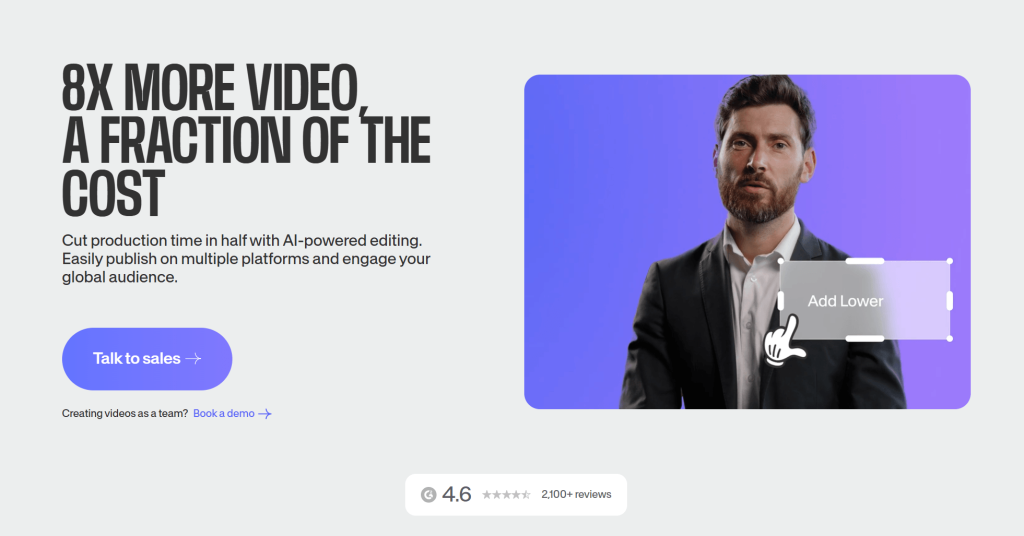
If you have ever wanted to turn a raw screen recording, a phone clip, or a written script into a polished, captioned, on-brand video — without installing heavyweight software, watching fifteen tutorials, or paying a freelance editor — then you are exactly the person VEED was built for. VEED is a browser-based video creation platform that combines a genuinely simple drag-and-drop editor with a deep stack of AI tools: auto-subtitles in 100+ languages, filler-word removal, noise cleanup, eye-contact correction, AI avatars and a text-to-video studio. Founded in London in 2017 and backed by a $35 million Series A led by Sequoia Capital, the platform now serves over 10 million monthly active users, carries a 4.6/5 Trustpilot rating across thousands of reviews, and counts teams at Meta, Google, Visa, P&G and NBCUniversal among its users. In short, it has become one of the clearest answers to a question almost every modern creator eventually asks: why does making a simple video still feel so complicated?
For social media creators, marketing teams, educators, podcasters, freelancers and small business owners who need professional-looking video fast — and from any device, including a locked work laptop — the value proposition is immediate. This 2026 review walks through everything that matters: what VEED actually is, the AI features that set it apart, its new Fabric 1.0 talking-video model, full pricing with the current June 2026 deals, honest head-to-head comparisons with the main alternatives, the real limitations worth knowing, and exactly who should (and shouldn’t) sign up.
VEED.io Review 2026: The Browser-Based AI Video Studio That Turns Almost Anyone Into a Video Creator
Overview and Background
VEED.io is an all-in-one online video editing and creation platform that runs entirely in your web browser. There is nothing to download and nothing to install — you open a tab, upload or record footage, edit it with a drag-and-drop timeline, apply AI tools like captions and noise removal, and export or host the finished video. Because everything lives in the cloud, your projects save automatically and are accessible from a Windows PC, a Mac, a Chromebook, a tablet, or a managed work computer that won’t let you install desktop apps.
The company was founded in London by Sabba Keynejad and Timur Mamedov, who started with a deliberately narrow idea — make adding subtitles and trimming clips genuinely easy — and steadily expanded it into a full production suite. That focus on simplicity over complexity is the through-line of the whole product. In 2022 the team raised $35 million in Series A funding led by Sequoia Capital, fueling rapid growth to a global workforce and millions of monthly users. Today VEED positions itself less as a “video editor” and more as an idea-to-video platform, where recording, editing, AI generation and publishing all happen in one place.
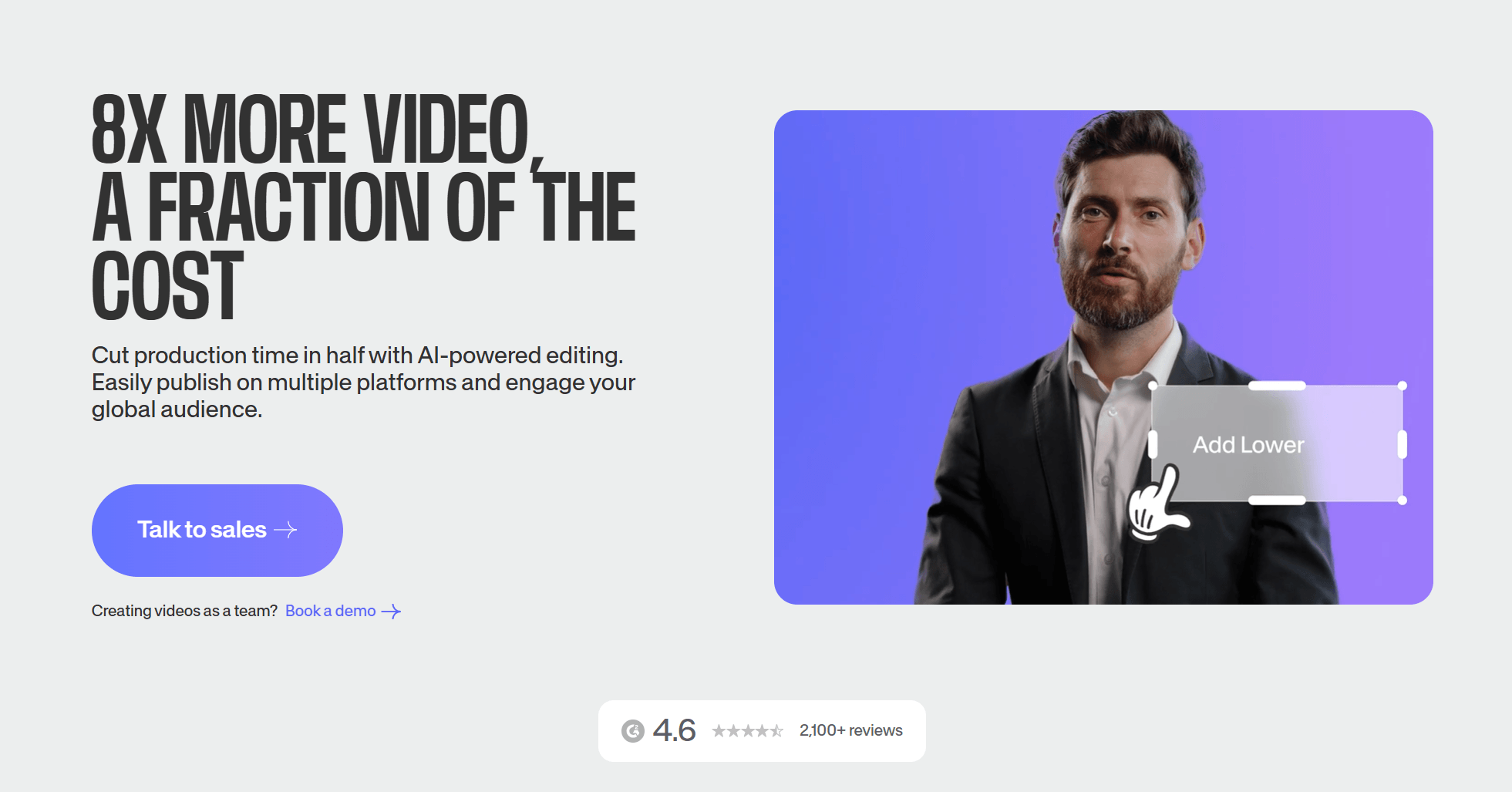
The traction backs up the positioning. VEED reports over 10 million monthly active users and maintains a strong 4.6/5 Trustpilot reputation across more than 3,000 reviews, with its auto-subtitle accuracy and ease of use cited most often as standout strengths. Brand-name customers include Meta, Google, Visa, Pinterest, P&G, Carlsberg and NBCUniversal, and the platform was recognized as a G2 “Best AI software company” for 2026. On the security side, VEED runs on Google Cloud Platform with SSL and AES encryption, supports two-factor authentication, and states GDPR and CCPA compliance.
Why VEED.io Stands Out in 2026
Zero-installation, edit-anywhere convenience: The core promise is that you can create a professional video from any device with a browser, with nothing to install and no powerful hardware required. There is no $1,500 laptop upgrade, no multi-gigabyte download, and no local rendering bottleneck — heavy processing happens in VEED’s cloud. For anyone working across multiple machines, on a Chromebook, or on a locked-down corporate computer, that accessibility alone is the reason to choose it over desktop tools like Premiere Pro or DaVinci Resolve.
Best-in-class automatic subtitles: Subtitling is VEED’s most-used and most-praised feature. The AI transcribes speech and generates accurate captions across 100+ languages in seconds, with a clean editor for styling, timing and corrections. Users and reviewers repeatedly call VEED’s caption accuracy among the best available in any browser-based tool — a genuine time-saver for talking-head, interview and UGC content where captions drive engagement and accessibility.
A deep, practical AI toolkit: Beyond captions, VEED bundles the AI features creators actually use day to day. Magic Cut detects and removes filler words, silences and awkward pauses; background-noise removal cleans up audio captured in imperfect environments; Eye Contact Correction subtly redirects your gaze toward the camera; and translation and AI dubbing localize a video into dozens of languages. These are the small, repetitive editing chores that used to eat hours — and VEED automates them in a click.
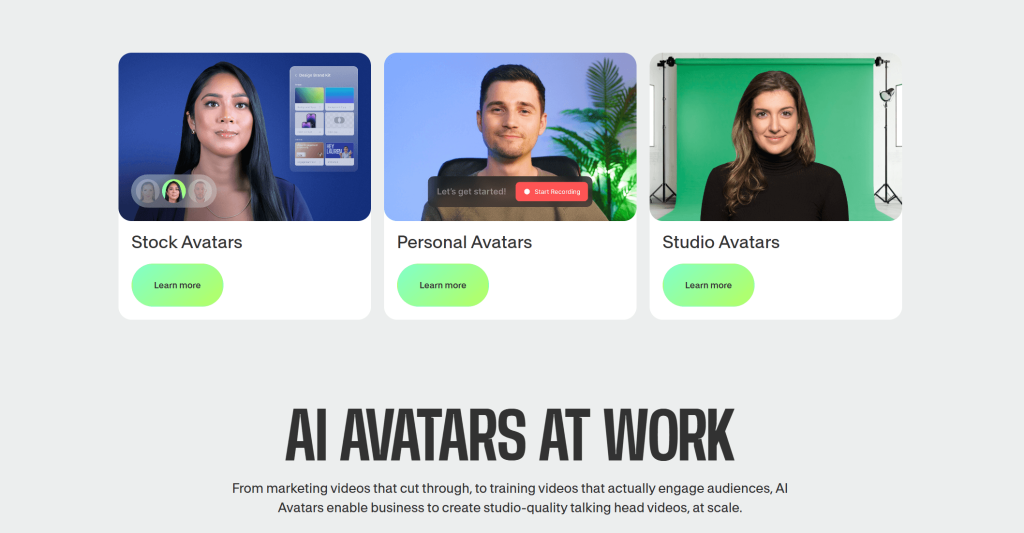
Fabric 1.0 — generate talking videos from any image: VEED’s standout 2026 innovation is Fabric 1.0, billed as the first AI “talking video” model of its kind. You supply a single image plus a script or audio clip, and the model produces a lip-synced talking video — with the audio driving not just the mouth but head, hand and body motion for a natural result. Critically, it animates any image (a photo, an illustration, a brand mascot, a clay or anime character) rather than locking you into a preset avatar library, and it generates clips up to five minutes long, far beyond the 8–20 seconds typical of rival generators.
Magic Clips for repurposing long video into shorts: For podcasters, webinar hosts and long-form YouTubers, VEED’s AI clip generator scans a long recording, identifies high-impact moments, and auto-reformats them into vertical (9:16) captioned clips ready for TikTok, Reels and Shorts. It can turn a single hour-long interview into a batch of short, shareable clips in minutes — a workflow that otherwise requires meaningful manual effort or a separate tool.
One workflow, from recording to publishing: VEED collapses a fragmented toolchain into a single tab. Its built-in screen-and-webcam recorder (with side-by-side, picture-in-picture and full-screen layouts) and an in-browser teleprompter let you capture footage; the editor and AI tools let you polish it; brand kits keep it consistent; and hosting and share links let you publish — replacing the old “record in one app, caption in another, store in a third, share on a fourth” patchwork with one platform.
Access to leading AI video models in one playground: Alongside its own Fabric model, VEED gives you a single playground to test and generate with top third-party models — including Sora 2, Veo 3.1 and Kling AI — then bring the output straight into the editor to caption, brand and finish it. Few competitors let you experiment across this many cutting-edge models and complete the full editing workflow without leaving the platform.
Key Features and Technology
VEED’s catalog is broad for a browser tool, but it organizes cleanly into four areas: the core editor, the AI enhancement toolkit, the generative Gen-AI Studio, and the recording, collaboration and branding layer. Here is how the platform breaks down.
The Core Editor — Drag-and-Drop in the Browser
The heart of VEED is a timeline editor designed for speed and approachability. You can trim, cut, split, crop, rotate, resize and merge clips; layer in text overlays, logos, music, sound effects and transitions; and switch effortlessly between aspect ratios (16:9, 1:1 and 9:16) to format a single video for YouTube, Instagram, TikTok or LinkedIn. A built-in stock library of millions of royalty-free videos, images and audio tracks, plus a deep template collection, means you rarely have to leave the editor to source assets. The whole experience is built so that a first-time user can produce a clean, captioned video within minutes — no prior editing experience required.
The AI Enhancement Toolkit — Captions, Clean Audio, Eye Contact, Magic Cut
This is where VEED saves the most time. Auto-subtitles transcribe and caption your video in 100+ languages with high accuracy and full styling control. Magic Cut automatically strips out filler words and dead air to tighten a rambling take. Background-noise removal and audio cleanup lift voice clarity from imperfect recordings. Eye Contact Correction nudges a presenter’s gaze toward the lens — a feature reviewers note VEED does unusually well — and it’s a favorite for UGC ad creators alongside noise reduction. Translation and AI dubbing then localize finished content into dozens of languages, and an AI voice generator / text-to-speech engine can narrate scripts without a microphone.
Gen-AI Studio & Fabric 1.0 — Create Video From Scratch
VEED’s generative layer lets you make video without filming anything. In Gen-AI Studio you can go from a text idea or script straight to a video, generate AI avatars to present your content, and produce talking videos with Fabric 1.0 from a single image plus audio or text. Under the hood, Fabric 1.0 uses a Diffusion Transformer architecture and a dual image-plus-audio pipeline to deliver precise lip-sync and expressive, natural motion — and it’s available not only inside the app but as a developer API (via partners such as fal.ai and WaveSpeedAI) for teams that want to generate talking videos programmatically at scale. Image-to-video and text-to-video models round out a studio aimed squarely at high-volume social and marketing production.
Recording, Collaboration & Brand Tools
VEED is also a lightweight studio and a team tool. The screen-and-webcam recorder captures your screen, camera and microphone together with multiple layouts, and a built-in teleprompter scrolls your script in the browser as you record. For teams, real-time collaboration with time-stamped commenting turns review cycles into a single shared workspace — no exporting drafts back and forth — while Brand Kits lock in your fonts, colors and logos so every output stays on-brand. Higher tiers add SSO and centralized brand management for organizations producing video at scale.
Pricing, Plans, and Package Structure
VEED is a subscription product, billed monthly or annually on a per-user (per-seat) basis, with a free tier to start. Plan names and prices have shifted over time and continue to vary by source, region and active promotion, so treat the figures below as approximate ranges rather than exact quotes — and always confirm the live price on VEED’s pricing page before subscribing. As a general rule, paid plans remove the watermark, raise export quality and length, unlock the full AI toolkit and stock library, and add brand kits; the one recurring variable beyond the subscription is AI credit consumption for generative features.
| Plan | Approx. Price (per user) | What You Get | Best For |
|---|---|---|---|
| Free | $0 | Core editor, screen/webcam recording, limited auto-subtitles, 720p export, short length cap — all with a VEED watermark | Testing the platform, one-off internal clips, learning the interface |
| Lite / Basic | ~$12–18/mo | Watermark-free exports, 1080p HD, unlimited stock library, simple brand kit, social auto-resize | Solo creators and small businesses wanting clean, professional social videos |
| Pro (most popular) | ~$24–30/mo | Everything in Lite plus 4K export, full AI toolkit, AI avatars, translation, full brand kit, more storage and multiple editors | Regular content creators, marketers and small teams who need 4K and all AI tools |
| Business | ~$59–70/mo per seat | Team workspaces, advanced collaboration and permissions, SSO, centralized brand management, analytics | Marketing departments, agencies and corporate training teams |
| Enterprise | Custom | Tailored seats, security, governance and support; volume and procurement terms | Large organizations with security, compliance and scale requirements |
How VEED.io Compares to Alternatives
| Factor | VEED | Descript | CapCut | Adobe Premiere Pro |
|---|---|---|---|---|
| Platform | Browser (any device, no install) | Desktop + web | Desktop, mobile + web | Desktop (powerful hardware) |
| Learning curve | Very low | Low–moderate | Low | Steep |
| AI tools | Deep (captions, Magic Cut, avatars, Fabric 1.0, dubbing) | Strong (text-based edit, voice cloning) | Good (captions, effects) | Growing (Firefly), add-on heavy |
| Subtitle quality | Excellent, 100+ languages | Excellent | Good | Manual / add-on |
| Team collaboration | Real-time, time-stamped comments | Strong | Limited | Via Frame.io (extra) |
| Entry price | Free; paid from ~$12/mo | Free; paid from ~$16–24/mo | Free; Pro ~$10–13/mo | ~$23/mo (subscription) |
| Best for | Fast, AI-assisted social/marketing video for any device | Podcasts and text-first editing | Casual creators and TikTok-native edits | Professional, frame-level production |
vs. Descript: Descript is VEED’s closest peer in the “AI-first, creator-friendly” space, and its signature is text-based editing — edit the transcript and the video changes — plus strong voice cloning. VEED’s edge is its breadth (a fuller stock library, more on-canvas editing, social auto-resizing, and the Fabric 1.0 talking-video model) and its device-agnostic browser experience. For transcript-driven podcast workflows, Descript is excellent; for fast, visual, multi-format social and marketing video, VEED is the more versatile all-rounder.
vs. CapCut: CapCut is cheaper and beloved by casual, mobile-first and TikTok-native creators, with a generous free tier. The trade-off is depth: VEED offers stronger team collaboration, brand kits, SSO, a more complete AI toolkit and a more professional output pipeline — the things small businesses and marketing teams need that a consumer app doesn’t prioritize. If budget is the only constraint, CapCut wins; if you need a professional, team-ready platform, VEED is worth the premium.
vs. Adobe Premiere Pro (the legacy/professional option): Premiere Pro delivers the deepest, frame-level creative control and remains the standard for high-end, cinematic production — but it demands powerful hardware, a real learning investment, and (with Frame.io for review) additional cost. VEED achieves the large majority of what most creators and marketers actually need — captioned, branded, multi-format video — in a fraction of the time and with no install or hardware barrier. For professional color grading and complex timelines, Premiere wins; for speed and AI-assisted output, VEED is the everyday choice.
Pros and Cons
What Creators Love
Genuinely easy and fast: The drag-and-drop interface is simple enough that beginners produce polished, captioned videos within minutes, with no tutorials and no installation. Reviewers consistently single out the speed and the gentle learning curve as the main reasons they stick with it.
Best-in-class auto-subtitles: The AI captioning is fast, accurate across 100+ languages, and easy to style and correct — the feature users praise most, and a meaningful accessibility and engagement boost for any talking-head or social content.
A complete toolkit in one tab: Recording, editing, AI cleanup, generation, collaboration and hosting all live in the same place, replacing a stack of separate tools and the friction of moving files between them. Many users say VEED pays for itself by eliminating a freelance editor or several point solutions.
Forward-looking AI generation: Fabric 1.0’s talking videos from any image, Magic Clips for repurposing long content, and a playground stocked with leading models (Sora 2, Veo 3.1, Kling) keep VEED ahead of plain editors and aligned with how creators increasingly produce content.
Real team workflows: Real-time collaboration with time-stamped comments and shared brand kits make VEED a genuine team platform, not just a solo tool — a clear advantage for agencies, marketing departments and training teams over consumer-grade apps.
Limitations Worth Knowing
Cloud-only — no offline editing: VEED needs an internet connection to work; there is no offline mode. If you frequently edit on the move without reliable connectivity, a desktop tool like DaVinci Resolve will suit you better.
The free plan is for testing, not publishing: Free exports carry a VEED watermark, cap at 720p and a short length, and limit AI usage — making the free tier unsuitable for client or branded work. Active creators typically outgrow it within a couple of weeks.
AI credits can mean unpredictable costs: Generative features run on a credit allowance, credits are charged when each action runs (not at final render), unused annual credits don’t roll over, and premium models burn credits quickly. Heavy AI iteration can cost more than the base subscription suggests, so budget a comfortable buffer.
Per-seat billing adds up for teams: Paid plans are priced per user, so a small team multiplies the monthly cost, and adding one editor beyond a plan’s seat cap can force a broader upgrade. Map your real seat count before committing.
Performance can dip on large projects: Because rendering is cloud-based, very large or 4K projects can slow down, and some users report occasional export glitches or longer processing during peak hours. Managing storage and editing off-peak helps.
Not the deepest creative control or avatars: Power users seeking frame-level color grading and advanced timelines will find Premiere Pro or DaVinci Resolve more capable, and VEED’s AI avatars, while solid, aren’t yet on the level of dedicated avatar specialists like HeyGen or Synthesia for fully custom presenters.
Who Should Use VEED.io
Social media creators and UGC makers: If you publish regularly to TikTok, Reels, Shorts, YouTube or LinkedIn, VEED’s captioning, auto-resizing, Eye Contact Correction and Magic Clips are built for your exact workflow. Start on Lite for watermark-free social posts, and move up to Pro when you want 4K and the full AI toolkit.
Marketing teams and agencies: For producing ads, product demos, explainers and branded content at volume, VEED’s brand kits, real-time collaboration and AI generation streamline the whole pipeline. The Business plan, with shared workspaces and SSO, is the right fit for multi-person teams that need governance and consistency.
Educators and course creators: Teachers and trainers benefit from screen recording, the teleprompter, accurate multilingual subtitles and translation to reach wider audiences — and VEED is free for verified educators, making the Pro-level toolkit accessible to schools and institutions at no cost.
Podcasters and long-form creators: If you record interviews, webinars or long videos, Magic Clips turning one hour-long recording into a batch of captioned vertical shorts is the single most valuable feature for you. Pro is the sweet spot for the storage, length and AI access this workflow needs.
Small business owners and solopreneurs: If you need professional video without hiring an editor or learning complex software, VEED delivers polished, on-brand output fast from whatever device you have. Lite covers most simple needs; choose Pro once video becomes a consistent part of how you market.
Getting Started: Step by Step
- Create a free account. Sign up at VEED with no credit card required and land directly in the browser editor — there’s nothing to install, on any device.
- Upload or record your footage. Drag in an existing clip, or use the built-in screen-and-webcam recorder (with the teleprompter if you’re reading a script) to capture something new right inside the platform.
- Edit on the timeline. Trim, cut, split and arrange your clips, then add text, music, transitions and stock media. Set your aspect ratio (16:9, 1:1 or 9:16) to match the platform you’re publishing to.
- Apply the AI tools. Generate auto-subtitles, run Magic Cut to remove filler, clean up the audio, correct eye contact, and — if you want generated video — open Gen-AI Studio or Fabric 1.0 to create a talking video from an image or script.
- Brand and collaborate. Apply your Brand Kit for consistent fonts, colors and logos, and invite teammates to review with time-stamped comments before you finalize.
- Export or host and share. Render up to 4K on a paid plan (the free plan exports 720p with a watermark), then download your video or use VEED’s hosting and share link to publish.
Tips for Getting Maximum Value
Start on the free plan to confirm VEED fits your workflow, then upgrade deliberately rather than over-buying — most solo creators are well served by Lite or Pro and don’t need Business. Choose annual billing to capture the discount over monthly, and before checkout apply an active promo code (in June 2026 that includes 25% off the first year of annual Pro for new users, alongside the brand’s frequent 20–30% seasonal codes); codes are usually new-user-only and time-limited, so verify the live price and remember the 14-day refund window. If you’re an educator, claim VEED’s free access for verified teachers before paying for anything. Treat AI credits as a real budget line: settle your script and inputs before generating, pick the lightest model that does the job, and avoid trial-and-error regeneration, since credits are charged per action and don’t roll over. Finally, manage cloud storage by downloading finished projects and clearing old ones, and do heavy 4K rendering off-peak to sidestep slowdowns.
Future Outlook and Final Assessment
The momentum is firmly behind VEED. Demand for short-form, captioned, AI-assisted video keeps climbing across every platform, and VEED has leaned into that shift faster than most — shipping the first-of-its-kind Fabric 1.0 talking-video model, opening it up as a developer API, and assembling a playground of the strongest generative models in one place. Its bet that the future of video belongs to creators who want professional output without professional complexity — from any browser, with AI handling the tedious parts — looks well-placed as the line between “video editor” and “content creator with a laptop” continues to disappear.
The honest caveats remain: it’s cloud-only, the free tier is strictly for testing, the AI credit system can make heavy generative use cost more than expected, and per-seat pricing adds up for teams. But within those boundaries, VEED is one of the most capable, accessible and genuinely useful video platforms available in 2026 — and for the audience it targets, it represents excellent value, especially with an annual plan and an active discount.
Conclusion
VEED has done something genuinely valuable: it took video creation — long the domain of expensive software, powerful hardware and steep learning curves — and made it something almost anyone can do well, fast, from a single browser tab. Accurate auto-subtitles, a deep AI toolkit, the forward-looking Fabric 1.0 model, real team collaboration and a complete record-to-publish workflow add up to a platform that meets creators, marketers, educators and small businesses exactly where they are. Make sure you have a stable connection, pick the plan that matches how often you publish, claim the right discount, and VEED turns one of the most time-consuming parts of modern work into something genuinely simple — making everything easy, one video at a time.
Ready to create professional videos in minutes?
Explore more honest reviews, tutorials and tool comparisons to find the right tech for the way you work and live — at AI Solutes, where we make everything easy.
👉 Open Free Account: Get Started with VEED
👉 Our Website: https://ai-solutes.com/
👉 Our YouTube Channel: youtube.com/@ai-solutes
👉 Our Facebook Fanpage: Facebook
👉 Our X (Twitter): @AISolutes
- Study Fetch
- Higgsfield AI Cinema Studio 2.5 Review 2026: Generate Cinematic AI Video Faster With Hero Frames and Real-Time Editing
- Can Dify AI Streamline Autonomous Agent Creation? Examining Its Comprehensive Prompt Engineering Tools
- Turbocharge AI Editorial Workflows for 2026 Global Events: Faster Submissions and Smarter Approvals
- Unlock Business Growth: Top AI Chatbot Platforms and 2025 Market Trends Revealed