

You bought a Mac for the battery life, the build quality, and that buttery Apple-silicon speed — and then one Monday morning you needed a Windows-only app. Maybe it’s the full add-on-powered version of Excel, maybe it’s QuickBooks Desktop, Microsoft Access, a Power BI report your team lives in, or some stubborn line-of-business tool your company has run for a decade. On older Intel Macs you could simply reboot into Windows with Boot Camp. On today’s M-series Macs that door is closed — Apple silicon removed native Windows boot entirely — which means the only realistic way to run Windows on a modern Mac is virtualization. That’s exactly the problem Parallels Desktop was built to solve, and it does it better than anything else on the market. Parallels is the only solution Microsoft has authorized to run Windows 11 on Apple silicon, it launches Windows in under five seconds, it starts at roughly $99.99/year with a 14-day free trial, and it lets Windows apps run side by side with your Mac apps as if they belonged there all along.
For professionals, small business owners, freelancers, content creators, and developers who have committed to the Mac but can’t fully escape the Windows ecosystem, that value proposition is immediate. This 2026 review walks through everything that matters: what Parallels Desktop 26 actually is, the standout features, real-world performance, the full Standard/Pro/Business pricing breakdown, how it stacks up against free rivals like VMware Fusion, the honest limitations worth knowing, and exactly who should — and shouldn’t — buy in.
Parallels Desktop Review 2026: The Fastest, Microsoft-Authorized Way to Run Windows on Your Mac
Overview and Background
Parallels Desktop is virtualization software made by Parallels International GmbH, a long-established name in cross-platform computing. In plain terms, it lets you run Windows, Linux, and even additional copies of macOS inside a virtual machine on your Mac — alongside your normal desktop, with no rebooting required. Instead of partitioning your drive or buying a second PC, you spin up Windows in a window (or invisibly behind your Mac apps) and switch between the two worlds instantly.
The current release is Parallels Desktop 26, which arrived in late August 2025. The version number jump from the previous Parallels Desktop 20 isn’t a mistake — Parallels now follows Apple’s own naming scheme, so version 26 is built specifically for macOS Tahoe 26 and the latest Windows 11 release. It’s tuned for Apple’s newest chips (through the M5 generation and beyond), refreshed to match the look and feel of Apple’s latest OS, and packed with quality-of-life and IT-management improvements for both individuals and enterprise admins.
Parallels’ real distinction is trust and integration. It was the first virtualization tool fully optimized for Apple silicon and remains the only product Microsoft has officially authorized to run the Arm edition of Windows 11 Pro and Enterprise on M-series Macs. For anyone whose work depends on Windows software, that authorization removes a layer of licensing and compatibility uncertainty that the free alternatives simply can’t match.
Why Parallels Desktop Stands Out in 2026
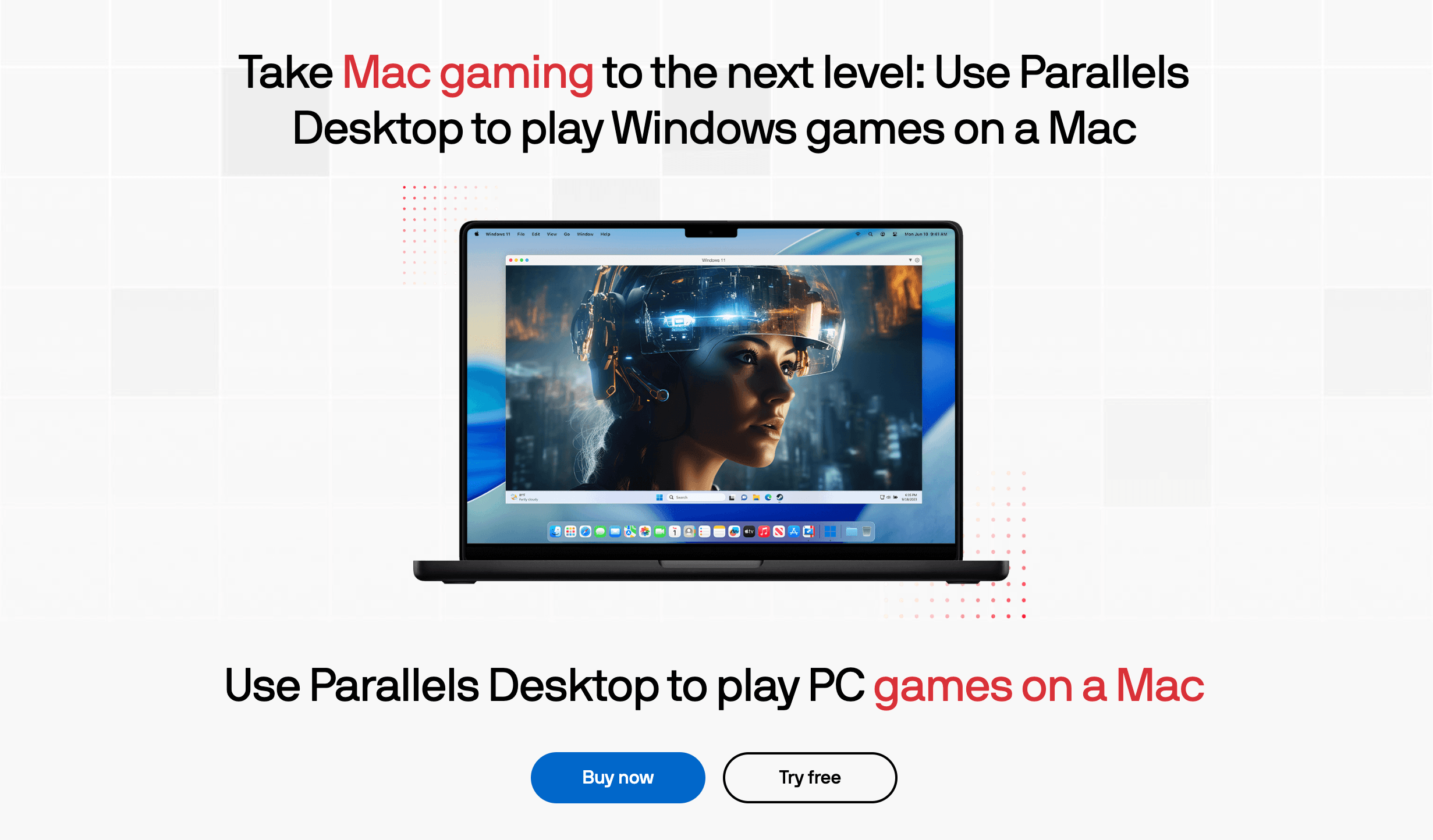
It’s the only Microsoft-authorized option for Windows 11 on Apple silicon: This is Parallels’ single biggest moat. As Apple’s M-series chips have taken over the Mac lineup, the question of how to legitimately run Windows on them has become a real headache — and Parallels is the one solution Microsoft has explicitly blessed for Windows 11 Pro and Enterprise on Arm. That official standing means smoother activation, fewer licensing gray areas, and the confidence that your setup is supported rather than improvised.
Coherence mode makes Windows apps feel native: Parallels’ signature trick is Coherence, which hides the Windows desktop entirely and lets individual Windows apps float on your Mac screen right next to your Mac apps. Your Windows program sits in the Dock, responds to Mac gestures, and shares your clipboard and files — so launching a Windows-only tool feels no different from opening a Mac app. It’s the closest thing to making the operating-system boundary disappear.
Genuinely fast — measurably faster than the free rivals: Speed is where Parallels earns its price. Independent and vendor benchmarks put Windows launch times under five seconds, against roughly 8.4 seconds for free VMware Fusion, with CPU-bound tasks running anywhere from about 31% to 42% quicker on Apple silicon. For software that you open and close all day, that responsiveness compounds into real saved time.
Two-click Windows installation: You don’t need an ISO file, a USB stick, or a how-to video. Parallels can download, install, and configure Windows 11 in roughly two clicks, automatically setting sensible defaults for your Mac. For non-technical buyers — the marketer or small business owner who just needs one Windows app working today — this removes the scariest part of the whole process.
Built for the very latest operating systems: Because Parallels now tracks Apple’s release calendar, version 26 is ready on day one for macOS Tahoe 26 and current Windows 11 builds. If you’re the type who updates the moment a new macOS drops, matching your virtualization software is as simple as keeping Parallels current — no waiting months for compatibility patches.
A real AI and automation angle: This is where Parallels intersects with the broader AI-tools landscape that matters to modern professionals. Recent versions introduced a Parallels AI Package that lets developers spin up a virtual machine pre-loaded with AI tools, and even control Parallels Desktop using plain-language commands. On the productivity side, Apple’s writing tools now reach into Windows versions of Outlook, Word, and PowerPoint running inside Parallels — so the AI features you rely on don’t stop at the macOS border.
Enterprise-grade management for teams: Parallels isn’t just a consumer toy. The Business edition adds centralized license management, mass deployment, single sign-on with providers like Microsoft Entra ID and Okta, Jamf integration, single-app deployment, and CI/CD automation — the controls an IT department needs to roll Windows-on-Mac out across an organization without chaos.
Key Features and Technology
Parallels’ strength is how completely it bridges two operating systems that were never meant to share a screen. Here’s how the core capabilities break down.
Seamless macOS and Windows Integration
Beyond Coherence, Parallels weaves the two systems together at every practical touchpoint. You can drag and drop files between macOS and Windows, copy text or images on one side and paste on the other, open a Mac file in a Windows app (or vice versa) with a right-click, and share folders so your documents live in one place. Touch ID can authenticate Windows actions, printers and external drives are shared automatically, and the whole experience is designed so you rarely have to think about which OS a given app actually belongs to.
Running Windows Business and Productivity Software
This is the reason most professionals buy Parallels. It unlocks the full, Windows-only versions of software that Mac-native apps can’t fully replicate: Microsoft Office with its Windows-exclusive Excel and PowerPoint add-ons, Power BI, Access, Visio, Project, and Publisher, plus QuickBooks Desktop and alternative office suites like WPS Office and Hancom Office. Just as importantly, it runs the legacy and in-house Windows applications that so many businesses still depend on — the kind of custom tool with no Mac version and no plans for one. If your workflow has even one Windows-only dependency, Parallels keeps you on your Mac without compromise.
Performance, Graphics, and Hardware
Parallels was the first virtualization app optimized for Apple silicon and continues to lead on it, with deep support for the M1 through M5 chip families. Graphics performance is strong for productivity and even moderate gaming thanks to Metal-accelerated DirectX 11 support, though it’s worth knowing that neither Parallels nor its rivals support DirectX 12, and games protected by anti-cheat systems (Vanguard, EasyAntiCheat, Denuvo) won’t run in any virtual machine. The resources each VM can claim scale with your edition: the Standard edition allows up to 8 GB of virtual RAM and 4 virtual CPUs per machine, while Pro pushes that to a hefty 128 GB of vRAM and 32 vCPUs — enough headroom for heavy, resource-intensive work.
AI, Automation, and Developer Tools
For technical users, the Pro edition opens up a serious toolbox: a command-line interface for scripting and automation, Docker support, Visual Studio integration, enhanced networking for testing complex setups, and the ability to run multiple virtual machines simultaneously for development, QA, and CI/CD pipelines. Layered on top is Parallels’ growing AI story — the AI Package for provisioning AI-ready VMs and plain-language control of the app itself — which positions Parallels as more than a simple OS bridge for the developer crowd.
Pricing, Plans, and Package Structure
Parallels Desktop is primarily a subscription, billed per user per year, across three editions — Standard, Pro, and Business. The Standard edition also offers a one-time perpetual license if you’d rather buy a version outright (note that a perpetual license stays on the version you bought and doesn’t include future major upgrades), while Pro and Business are subscription-only, which keeps you on the latest features and updates for as long as you pay. Remember that a Windows license is a separate cost on top of any plan if you don’t already own one, and prices display in your local currency with applicable VAT/GST added at checkout.
| Edition | Approx. Price | Key Limits / Features | Best For |
|---|---|---|---|
| Standard | ~$99.99/year, or ~$129.99 one-time | Up to 8 GB vRAM, 4 vCPUs, up to 4 VMs; run Windows, Linux & macOS; perpetual option available | Home users, students, and professionals running everyday Windows apps |
| Pro | ~$119.99/year (subscription only) | Up to 128 GB vRAM, 32 vCPUs; CLI, Docker, Visual Studio integration, advanced networking, multiple VMs | Developers, creators, and power users needing top performance |
| Business | ~$149.99/year per user | Everything in Pro plus centralized license management, mass deployment, SSO, CI/CD, included upgrades | Teams and organizations standardizing Windows-on-Mac at scale |
| Student / Educator | ~$49.99/year (Standard), ~$59.99/year (Pro) | Same features as the matching edition at roughly 50% off, with verified school email | Verified students and educators |
How Parallels Desktop Compares to Alternatives
| Factor | Parallels Desktop | VMware Fusion | UTM (open source) | Boot Camp (legacy) |
|---|---|---|---|---|
| Price | From ~$99.99/year | Free (incl. commercial) | Free | Free (Intel Macs only) |
| Apple silicon support | Best-in-class, optimized first | Good, added later | Good (emulation-focused) | Not supported |
| Microsoft authorization | Yes (Windows 11 on Arm) | No | No | N/A |
| macOS integration | Coherence, shared folders, polish | No Coherence on Apple silicon | Basic | Full reboot, no side-by-side |
| Setup & support | Two-click install, paid support | Harder setup, community only | Technical, community only | Discontinued |
vs. VMware Fusion: Fusion is Parallels’ biggest rival and its headline advantage is unbeatable on price — since November 2024 the full Fusion Pro feature set has been free for personal, educational, and commercial use, and Broadcom shipped a fresh update in 2026. It’s a genuinely capable hypervisor with snapshots, cloning, encryption, and shared folders. The catch is polish and support: on Apple silicon, Fusion still lacks Coherence mode and the smoothest shared-folder experience, official support is now community-driven only, Windows installation is more hands-on, and it isn’t Microsoft-authorized. You pay for Parallels to get measurably faster performance, a friendlier setup, and that authorization. If budget is the deciding factor and you’re comfortable tinkering, Fusion is the smart free pick; if you want it to just work, Parallels wins.
vs. UTM and VirtualBox: These free, open-source options shine for flexibility rather than convenience. UTM (built on QEMU) can emulate a far wider range of architectures and is excellent for tinkerers and unusual operating systems, while VirtualBox remains useful for existing appliances and automated cross-platform lab workflows. Neither, however, comes close to Parallels for Windows graphics performance or the seamless app integration that everyday professionals actually want. They’re tools for hobbyists and specialists, not for the person who just needs Excel’s Windows add-ons working before a 9 a.m. meeting.
vs. Boot Camp and CrossOver: Boot Camp, the old way of dual-booting Windows on a Mac, no longer exists on Apple silicon — it only ever worked on Intel Macs, so for any modern Mac it’s off the table entirely. CrossOver takes a different route, running some Windows apps directly without a full Windows VM (using a Wine-based compatibility layer), which can be lighter for a narrow set of programs — but it doesn’t support everything and lacks the full Windows environment Parallels provides. For broad, reliable compatibility on a current Mac, virtualization through Parallels is the practical answer.
Pros and Cons
What Mac Users Love
It just works: The two-click Windows install and Coherence mode mean most people are running their Windows app within minutes, with no partitioning, no reboots, and no technical headaches — exactly what a busy professional wants.
Microsoft authorization and peace of mind: Being the only officially sanctioned way to run Windows 11 on Apple silicon removes licensing uncertainty and earns Parallels a level of trust the free tools can’t claim.
Fast and well-optimized: Sub-five-second Windows launches and noticeably quicker CPU performance than free rivals make daily use feel responsive rather than sluggish.
Broad, real-world app compatibility: From full Windows Office and Power BI to QuickBooks and bespoke in-house tools, Parallels covers the software professionals and small businesses genuinely depend on.
A forward-looking AI and developer toolkit: AI-ready VMs, plain-language control, Apple writing tools inside Windows Office, plus Docker and CLI in Pro give Parallels relevance well beyond simply bridging two operating systems.
Limitations Worth Knowing
It’s a recurring cost when a free option exists: The most common objection is simple — VMware Fusion is free, and Parallels is a yearly subscription. For light or occasional Windows use, that ongoing fee is the hardest part to justify.
Apple silicon means Arm Windows, with caveats: You’re running the Arm build of Windows, so a small slice of old, niche, or hardware-locked x86 apps may not work. The x86 emulation feature that could help is still an early preview, with slow boots and limited capabilities.
Not a full gaming solution: There’s no DirectX 12 support, and titles guarded by anti-cheat software (Vanguard, EasyAntiCheat, Denuvo) simply won’t run in a VM — a real limit if Windows gaming is your goal.
A Windows license is an extra expense: Parallels is the engine, not the operating system. Budget separately for a Windows license if you don’t already own one.
Upgrade and update prompts can nag: Some users find the frequent automatic updates and upgrade reminders intrusive, and perpetual-license owners must pay again for each major new version.
Pro is subscription-only: If you want Pro’s power features, there’s no buy-once option — you’ll keep paying yearly to retain access and updates.
Who Should Use Parallels Desktop
Professionals and small business owners: If your business runs on a Windows-only app — accounting software, an industry tool, full-featured Excel — Parallels lets you stay on your Mac without keeping a second PC around. The Standard edition covers the vast majority of these needs at the lowest price.
Developers and power users: Anyone building, testing, or automating across operating systems will want Pro for its 128 GB vRAM ceiling, 32 vCPUs, Docker, CLI, and multi-VM support — the difference between a convenience and a serious development environment.
Students and educators: If a course requires Windows-only software, the verified education discount makes Standard (around $49.99/year) or Pro (around $59.99/year) an easy, affordable yes.
IT teams and organizations: Companies standardizing on Mac hardware but still tied to Windows apps should choose the Business edition for centralized licensing, mass deployment, SSO, and the admin controls that make a fleet manageable.
Occasional or budget-conscious users: In fairness, if you only need a Windows app a few times a month and cost is your top concern, start with Parallels’ free trial — but seriously weigh free VMware Fusion too. Parallels is worth paying for when Windows is part of your daily workflow, not an once-in-a-while errand.
Getting Started: Step by Step
- Check your Mac and your apps. Confirm whether you have an Apple-silicon or Intel Mac (most recent Macs are Apple silicon), and make a note of the specific Windows apps you need so you can test them during the trial.
- Download and start the 14-day free trial. Grab Parallels Desktop 26 from the official site and begin the free trial — no need to commit before you’ve confirmed it does what you need.
- Install Windows in two clicks. Let Parallels download and set up Windows 11 automatically, or import an existing VM or Boot Camp installation if you’re migrating from an older Mac.
- Install and test your Windows apps. Add the programs you actually rely on, switch on Coherence mode, and verify your critical apps run correctly before the trial ends.
- Right-size the resources. Adjust the virtual RAM and CPU cores allocated to your VM to balance Windows performance with your Mac’s responsiveness — and pick the edition (Standard vs Pro) that matches those needs.
- Choose your plan and keep it updated. Select the subscription or perpetual option that fits, then allow updates so Parallels stays in step with new macOS and Windows releases.
Tips for Getting Maximum Value
Always start with the free 14-day trial and use it to test your must-have apps before paying a cent, and never buy at full price without checking for an active promotion — Parallels discounts heavily and often, with seasonal sales and coupon codes regularly cutting prices in half. If you qualify as a student, educator, or for a military, government, or nonprofit program, claim that discount for a substantial saving. Resist over-buying: most people are perfectly served by the Standard edition, so only pay for Pro if you’ll genuinely use its 128 GB vRAM, 32 vCPUs, Docker, or developer automation. Right-size the RAM and CPU you assign to Windows so it runs smoothly without starving macOS, budget for a separate Windows license if you need one, and lean on the 30-day money-back guarantee if the fit isn’t right after purchase. Finally, weigh subscription versus the Standard perpetual license against how long you plan to use a given version — and remember that perpetual licenses don’t include future major upgrades.
Future Outlook and Final Assessment
The tailwinds favor Parallels. Apple silicon now dominates the Mac lineup and continues to gain ground across consumer and professional use, the demise of Boot Camp has made virtualization the only real route to Windows on a modern Mac, and demand for cross-platform workflows keeps climbing. Parallels’ exclusive Microsoft authorization gives it a durable advantage that free rivals can’t easily copy, while its investment in AI features and developer tooling signals a product evolving toward where computing is heading rather than standing still as a simple OS bridge.
The honest caveats remain: it’s a paid subscription in a category where VMware Fusion is free, you’re running Arm Windows with a few compatibility edge cases, it’s not built for serious Windows gaming, and a Windows license costs extra. But within those boundaries, Parallels Desktop 26 is the most polished, fastest, and most trustworthy way to run Windows on a Mac in 2026 — and for anyone whose livelihood depends on a Windows app, that reliability is worth paying for.
Conclusion
Parallels Desktop has earned its place as the default answer to a question millions of Mac users eventually face: how do I run that one Windows app without buying a PC? It’s fast where it counts, uniquely Microsoft-authorized, broadly compatible with the business software professionals actually use, and forward-looking in its embrace of AI and automation. Confirm your Mac type, test your critical apps during the free trial, choose the edition that matches how you really work — and Parallels makes the most frustrating part of life in a Mac-and-Windows world feel effortless, making everything easy on every device.
Ready to run Windows on your Mac the easy way?
Explore more honest reviews, tutorials and tool comparisons to find the right tech for the way you work and live — at AI Solutes, where we make everything easy.
👉 Start Your Free Trial: https://ai-solutes.com/parallels
👉 Our Website: https://ai-solutes.com/
👉 Our YouTube Channel: youtube.com/@ai-solutes
👉 Our Facebook Fanpage: Facebook
👉 Our X (Twitter): @AISolutes
- Anything World
- Master WPForms in 2026: Unlock Powerful AI Forms, Payment Integrations, and Security for WordPress
- Choose the Best Keto Bread in 2026: Zero Net Carb, High-Protein, and Keto Sourdough Top Picks
- Does Popl Elevate Sales Follow-Up Workflows? Investigating the Popl Analytics Infrastructure
- Master Dext 2026: Automate Bookkeeping with AI Assist, MTD ITSA Compliance, and Smart Integrations















