

If you sell anything for a living — proposals, quotes, contracts, service agreements — you already know where deals go to die: the document stage. A great sales call cools off while a quote sits half-finished in a Word file, a signature gets chased across three email threads, and a client ghosts because signing meant printing, scanning, and finding a working pen. PandaDoc was built to erase exactly that friction. It’s an all-in-one document automation platform that pulls proposal creation, quoting, contract management, legally binding e-signatures, and even payment collection into a single browser tab — so the paperwork that used to stall your pipeline becomes the fastest part of it. With a free tier to start, paid plans from roughly $19 per seat per month, more than 50,000 customers worldwide, a 4.7/5 rating on G2 from over 3,300 reviews, and a fresh wave of AI features that let agents draft and route agreements from a plain-English prompt, PandaDoc has grown from a simple quoting tool into one of the most complete answers to a question every revenue team eventually asks: why does closing the deal take longer than winning it?
For sales reps, small business owners, marketers, freelancers, and HR or legal teams drowning in repetitive paperwork, the value proposition is immediate. This 2026 review walks through the entire PandaDoc platform — what it actually does, the standout 2026 AI capabilities, every pricing tier with the real add-on costs, honest head-to-head comparisons against DocuSign and Proposify, the genuine limitations worth knowing before you buy, and exactly who should (and shouldn’t) invest.
PandaDoc Review 2026: The All-in-One Document Automation Platform That Turns Proposals, Quotes, and Contracts Into One Fast, Signable Workflow
Overview and Background
PandaDoc is a document automation and e-signature platform built primarily for revenue teams — the people who create proposals, send quotes, negotiate contracts, and need a signature at the end of it. Rather than treating e-signing as the whole product, PandaDoc treats it as the last step in a much longer workflow that starts with a blank document and ends with a signed agreement and, often, a collected payment. The company was co-founded by Mikita Mikado and Sergey Barysiuk, is headquartered in San Francisco, and grew out of an earlier quoting tool before rebranding into the broader platform it is today.
The scale is real. PandaDoc serves more than 50,000 customers globally, crossed the $100 million annual-recurring-revenue milestone in 2024, reached a $1 billion valuation during an earlier funding round, and employs roughly 750 people. It’s SOC 2 Type II, GDPR, eIDAS, and U.S. ESIGN Act compliant across all plans, with HIPAA available as an option — the kind of credential list that matters the moment a legal or finance team gets involved. The platform integrates natively with the CRMs most teams already live in (HubSpot, Salesforce, Pipedrive, Monday.com, Zoho) and with payment and productivity tools like Stripe, PayPal, Square, QuickBooks, Slack, and Zapier’s wider app network.
There’s one important context point for 2026: PandaDoc went through leadership and plan changes recently. Co-founder Mikita Mikado stepped back from the CEO role into a chief product officer position, with Keith Rabkin taking over as CEO, and the company reshuffled its plan tiers — renaming and re-scoping the old entry plan and moving some features up a level. None of this breaks the product, but it does mean older reviews and pricing guides you’ll find online may describe plans that no longer exist under the same name. Always confirm the current tier lineup on the live pricing page before you commit.
Why PandaDoc Stands Out in 2026
One platform instead of a stitched-together stack: The core differentiator is consolidation. Most teams cobble together a Word template, a separate e-signature tool, a CRM, and a payment link. PandaDoc replaces that whole chain — you build the document, track when the recipient opens it, collect the signature, and take payment without ever leaving the tab. For a small business, replacing three or four subscriptions with one is often where the real savings hide, well beyond the sticker price.
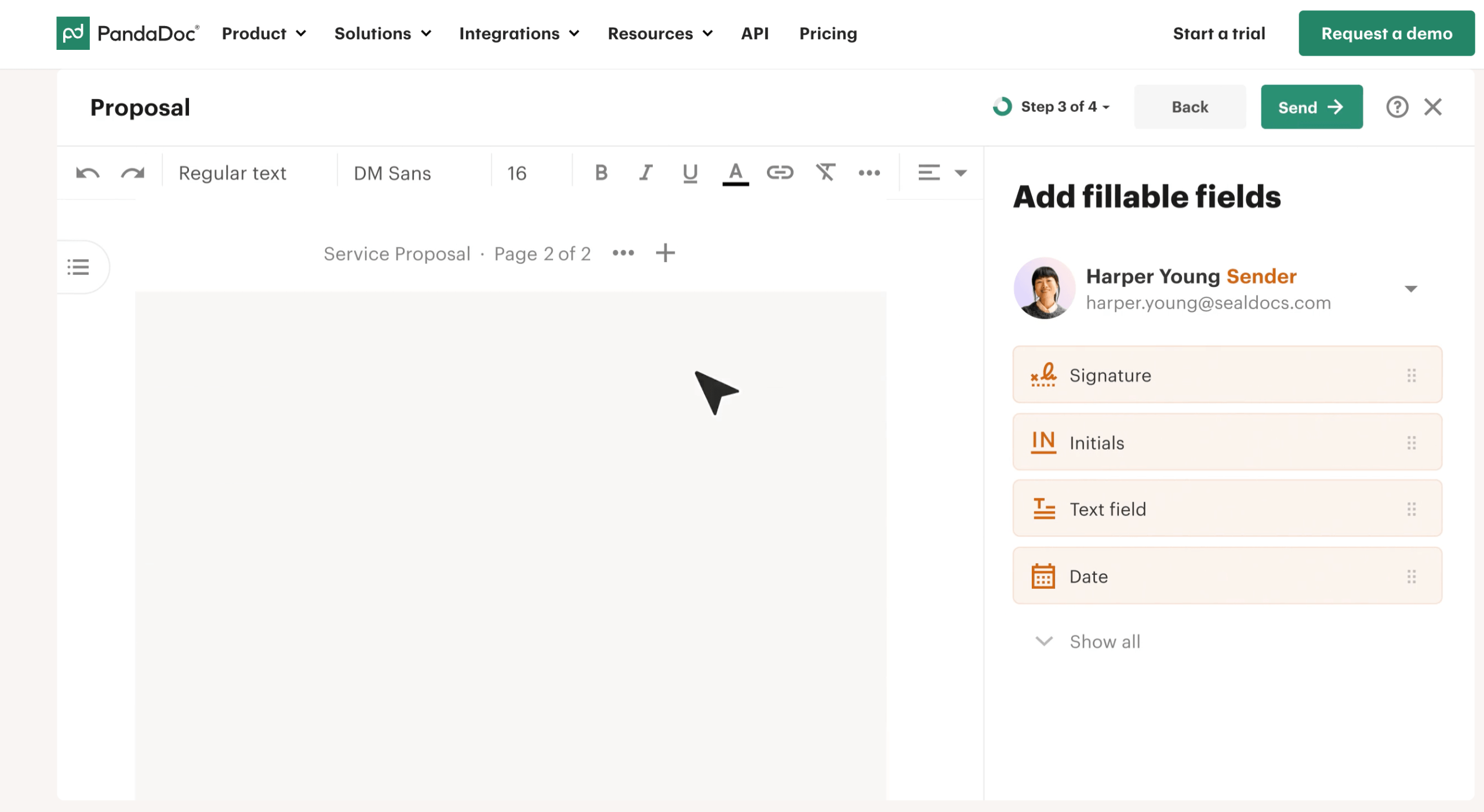
A genuinely good drag-and-drop editor and template library: PandaDoc’s editor is consistently singled out as one of the most user-friendly in the category. You drop in text, images, embedded video, pricing tables, and form fields with no code, and the template library covers proposals, quotes, NDAs, contracts, and more out of the box. The content library stores reusable branded blocks — logos, standard clauses, product descriptions — so assembling a polished document becomes minutes of work instead of an afternoon of copy-paste.
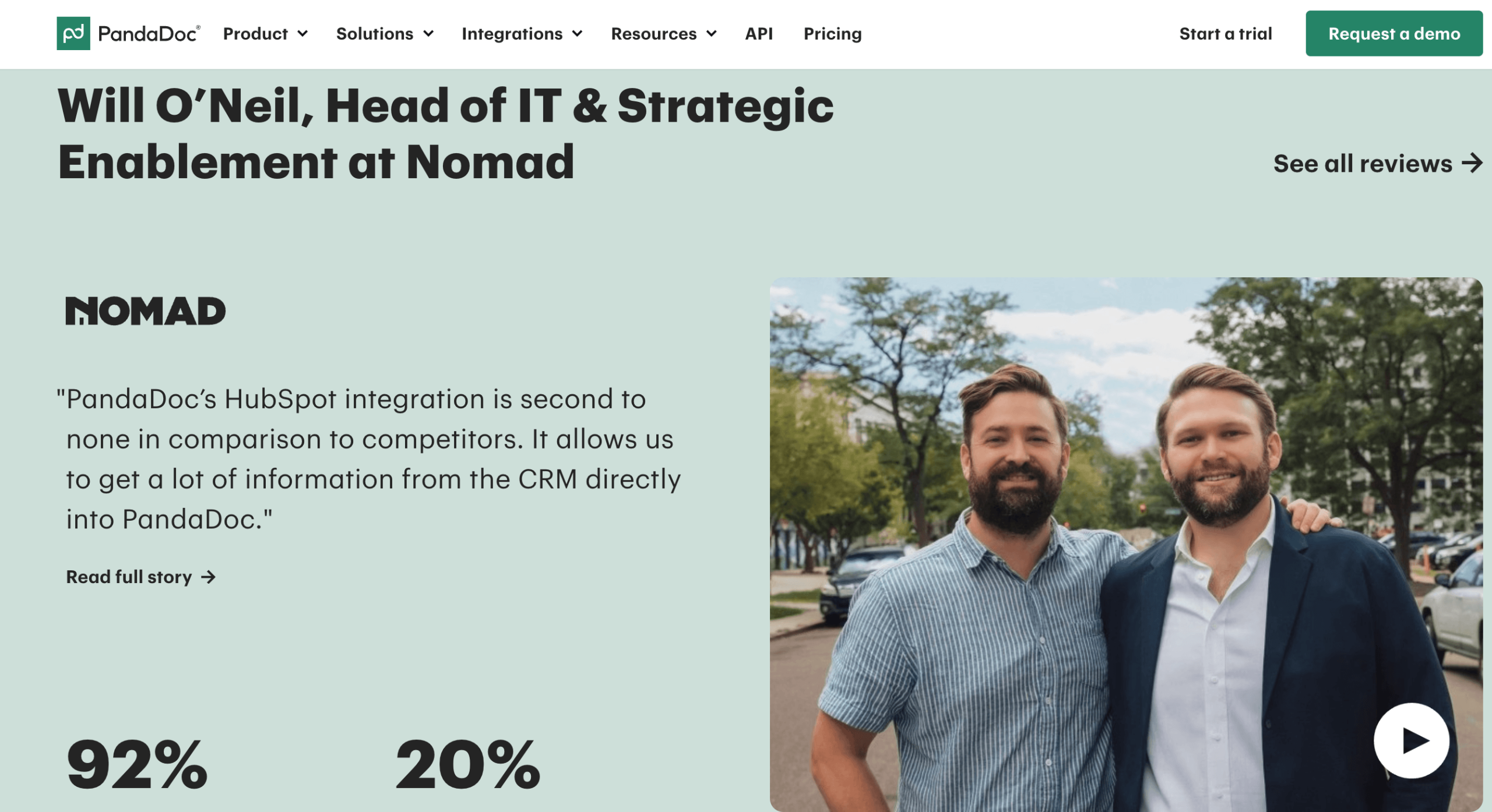
Deep, two-way CRM integration: This is where PandaDoc earns its keep for sales teams. Generate a quote from inside HubSpot, Salesforce, or Pipedrive and it auto-fills the client’s name, contact details, and pricing from the CRM record; when the document is signed, the deal status updates automatically the other direction. Its HubSpot integration in particular is widely praised, and PandaDoc built the first fully native configure-price-quote solution inside HubSpot — meaning less tab-switching and far fewer manual data-entry errors.
A serious 2026 AI and agent layer: This is the feature set that pushes PandaDoc ahead of plain signing tools. In late 2025 the company launched a Model Context Protocol (MCP) server that lets AI agents drive entire agreement workflows through natural-language commands, plus an Agentforce integration inside Salesforce so a rep can literally type “create a proposal for the Acme opportunity” and have the document assembled automatically. Layered on top are AI-assisted data extraction from uploaded files, smart content that adapts to recipient inputs, and predictive nudges that flag the best moment to follow up. For anyone already building AI into their workflow, this is the natural bridge for contracts and quotes.
Real-time tracking and analytics that end the guessing: Once a document goes out, PandaDoc tells you when it’s opened, which pages get the most attention, and whether the recipient made it to the signature block — with real-time notifications and auto-reminders on paid plans. Knowing a prospect has re-opened your pricing page twice is the difference between a well-timed call and a cold one.
Payments and CPQ built into the document: Higher tiers add pricing tables, product catalogs, and configure-price-quote logic that applies your pricing rules automatically, plus embedded payment collection through Stripe, PayPal, Square, and ACH. A client can approve a quote and pay it in the same window — collapsing the gap between “yes” and money in the bank.
Transparent, unlimited-signature pricing: Unlike some incumbents that meter you by “envelopes” or signature volume, PandaDoc’s paid plans include unlimited document creation and unlimited e-signatures. You’re billed per seat rather than per signature, which makes costs far more predictable for teams that send a high volume of documents each month.
Key Features and Technology
PandaDoc’s strength is how cleanly its capabilities map to each stage of the document lifecycle — create, collaborate, send, sign, and get paid. Here’s how the platform breaks down.
Document Creation and the Editor
The heart of the platform is a no-code, drag-and-drop editor for building proposals, contracts, quotes, and forms. You work from hundreds of professional templates or your own reusable ones, dropping in text blocks, images, embedded videos, and interactive pricing tables. The content library keeps your approved branded assets and boilerplate clauses in one place, so documents stay on-brand and consistent no matter who on the team builds them. Custom branding, themes, and email whitelabeling keep your identity front and center rather than PandaDoc’s — though note that branding removal is gated to paid tiers.
E-Signatures, Compliance, and Collaboration
E-signatures are legally binding and backed by full audit trails, signing order, in-person signing, and recipient verification options including SMS, passcode, and knowledge-based authentication. For EU workflows, PandaDoc supports Qualified Electronic Signatures (QES) to meet eIDAS requirements. Collaboration features — inline comments, suggested edits, approval workflows, and deal rooms — let internal reviewers and clients work through a document together before anyone signs, which is a meaningful upgrade over emailing versions back and forth.
Quoting, CPQ, and Payments
On Business and Enterprise plans, PandaDoc turns into a genuine sales-close engine. Pricing tables and product catalogs let recipients pick options and see totals update live; configure-price-quote (CPQ) functionality applies rules-based pricing and buyer-specific configurations automatically. Integrated payments through Stripe, PayPal, Square, and ACH mean a client can accept and pay a quote inside the document. PandaDoc reports customers seeing materially faster document turnaround and higher close rates once these workflows are in place — the exact numbers vary by team, so treat vendor figures as directional rather than guaranteed.
AI, Automation, and the API
The 2026 headline is AI. PandaDoc’s MCP server and Agentforce integration let AI agents generate, send, and manage agreements from natural-language instructions, while AI-assisted data extraction reads uploaded documents and suggests improvements. Workflow automations (internal and external) handle repetitive routing, and bulk send with CSV support pushes documents out at scale. Developers get a REST API to generate documents, trigger signatures, and sync data with their own systems, plus embedding options — though API access sits on the top tier.
Pricing, Plans, and Package Structure
PandaDoc is a per-seat subscription with a free tier and three paid levels, plus a newer per-document option for teams that would rather pay by volume than by headcount. Annual billing saves up to roughly 46% versus paying monthly — one of the steepest monthly premiums in SaaS, so switching to annual is the single easiest way to cut your bill. The prices below are the published U.S. list rates at the time of writing (annual billing shown where noted); they exclude tax, exclude add-ons, and change periodically, so always confirm the live figures on the official pricing page before purchasing.
| Plan | Approx. Price | What You Get | Best For |
|---|---|---|---|
| Free | $0 | 60 documents/year, drag-and-drop editor, real-time tracking, 24/7 email & chat support, up to 5 templates | Testing the platform or very light, occasional e-signing |
| Starter | ~$19/seat/mo annual (~$35 monthly) | Unlimited documents & e-signatures, editor, tracking, notifications, 24/7 support | Individuals & small teams needing straightforward, unlimited signing |
| Business (most popular) | ~$49/seat/mo annual (~$65 monthly) | Everything in Starter + CRM integrations, custom branding, content library, deal rooms, approval workflows, pricing tables, payments, analytics; web forms & bulk send optional | Sales & ops teams sending proposals and quotes at volume |
| Enterprise | Custom (per-seat or per-document) | Everything in Business + CPQ, workflow automation, smart content, SSO, team workspaces, notary, API, data residency | Large orgs needing governance, deep automation, and custom builds |
| Per-document option | Contact sales; overages ~$2–$3.50/doc on lower tiers | Unlimited seats, pay only for documents you create | Teams with many occasional users but modest document volume |
How PandaDoc Compares to Alternatives
| Factor | PandaDoc | DocuSign | Proposify | DIY (Word + e-sign + payment) |
|---|---|---|---|---|
| Core focus | Full document workflow: create → sign → pay | E-signature specialist | Proposal design | Whatever you stitch together |
| Doc builder & templates | Strong drag-and-drop + large library | Basic | Excellent for design | Manual |
| Unlimited e-signatures | Yes (paid plans) | Often metered by envelope | Via add-on | Depends on tool |
| CPQ / quoting & payments | Built in (higher tiers) | Limited | Partial | Separate tools |
| AI / agent workflows | MCP server + Agentforce, smart content | Enterprise-heavy AI | Limited | None built in |
| Entry price | Free tier; paid from ~$19/seat/mo | From ~$10–15/mo (signing only) | From ~$19–35/mo | Sum of several subscriptions |
| Best for | Revenue teams wanting one end-to-end tool | Pure, high-volume signing | Design-led proposals | Very low volume / tight budgets |
vs. DocuSign: DocuSign is the e-signature category leader and still holds a dominant share of the signing market, and if pure, high-volume signing is genuinely all you need, it’s a rock-solid specialist. But DocuSign is signing-first — document creation, proposals, and CPQ aren’t its strength — and its usage-based limits and add-ons can produce surprise costs. PandaDoc’s pitch is that it does the whole workflow, including the document you’re signing, at transparent per-seat pricing with unlimited signatures. If you only sign, DocuSign wins on focus; if you create and sign, PandaDoc delivers far more per dollar.
vs. Proposify (and Qwilr): These are design-forward proposal tools that can produce beautiful, brand-heavy documents, and for a marketing or agency team where the proposal itself is the pitch, they’re worth a look. Where PandaDoc pulls ahead is breadth: native CRM sync, CPQ, integrated payments, a deeper compliance stack, and the new AI-agent layer. If your proposals need to feed a real sales pipeline and end in a payment, PandaDoc is the more complete platform; if visual polish is the entire job, a specialist may edge it on aesthetics.
vs. the DIY stack (Word + a signing tool + a payment link): Rolling your own is the cheapest option on paper and fine at very low volume. But every document becomes manual assembly, version chaos, and no tracking — and once you’re paying for a separate e-signature tool and payment processor anyway, the “free” stack isn’t much cheaper than one PandaDoc seat. For any team sending documents weekly, consolidating into a single platform usually wins on both time and total cost.

Pros and Cons
What Users Love
Everything in one place: The most-praised quality is consolidation — create, send, track, sign, and get paid without leaving the platform. Teams routinely report proposals going out dramatically faster than with a manual process, and the friction of chasing signatures largely disappears.
An editor and templates people actually enjoy: The drag-and-drop builder and large template library get consistent praise for being genuinely easy to use, letting non-designers assemble sharp, on-brand documents quickly.
Strong CRM integrations: The HubSpot and Salesforce connections are frequent standouts, pulling CRM data straight into documents and syncing status back automatically — a real time-saver for sales teams.
Transparent, unlimited-signature pricing: Paid plans include unlimited documents and signatures, so heavy senders aren’t punished with per-envelope metering — a genuine advantage over some signing-only rivals.
A forward-looking AI angle: The MCP server, Agentforce integration, and AI-assisted drafting put PandaDoc ahead of most competitors on automation, aligning the paperwork side of sales with the way teams increasingly use AI everywhere else.
Limitations Worth Knowing
Editing after sending is painful: The single most common complaint is that once a document is sent, you often can’t easily edit it — you may have to recreate it from scratch. If you send documents that frequently need last-minute tweaks, build in extra care before hitting send.
Word import formatting quirks: Importing complex Word documents — especially with intricate tables or layouts — can produce formatting glitches, so expect some cleanup when migrating existing templates.
Per-seat cost adds up, and key features are gated: Because billing is per seat, costs climb quickly for larger teams — and features many buyers expect (Salesforce sync, bulk send, web forms, API, CPQ) sit on higher tiers or as paid add-ons. The advertised price is rarely the final bill; budget realistically.
Support and billing frustrations: Some long-term users report that support has shifted toward chatbot-first responses with longer waits, and consumer review sites carry recurring complaints about auto-renewal charges and denied refunds. Its Trustpilot rating sits notably below its G2 score — a gap worth weighing.
Plan changes can strip features you rely on: PandaDoc has re-scoped its entry plans, and some users reported losing access to features (like certain table or download capabilities) after switching plans, without an obvious warning. Read exactly what each tier includes before changing or committing.
Overkill for signature-only needs: If you truly just need the occasional signature, PandaDoc is more platform (and more cost) than you need. A lightweight signing tool will do the job for less.
Who Should Use PandaDoc
Sales teams sending proposals and quotes: This is PandaDoc’s home turf. If reps regularly build proposals, generate quotes, and chase signatures, the CRM sync, pricing tables, tracking, and payments earn the seat cost fast. The Business plan is the obvious starting point.
Small business owners and freelancers: If you send contracts, statements of work, or quotes and want them signed and paid without a patchwork of tools, PandaDoc consolidates the whole process. Freelancers with lighter volume can start on the free tier or Starter and upgrade as they grow.
HR, legal, and finance teams: Offer letters, NDAs, vendor agreements, and internal approvals all benefit from templates, approval workflows, audit trails, and compliance credentials. For regulated work, the Business or Enterprise tier with the right verification and HIPAA options is the fit.
AI-forward and technical teams: If you’re already automating with AI agents or want to drive contract workflows from natural language and your own systems, the MCP server, Agentforce integration, and API on Enterprise make PandaDoc a natural bridge for the document layer.
Who should probably look elsewhere: If your only need is collecting the odd signature, or your budget is very tight and volume very low, a dedicated signing tool or a lean DIY stack will serve you for less. PandaDoc rewards teams that live in documents — not those who touch them once a quarter.
Getting Started: Step by Step
- Start free or take the trial. Create a free account (no credit card, up to 60 documents a year) to test the editor and signing flow, or start the 14-day trial of a paid plan to try templates, tracking, and CRM sync.
- Pick the right tier for your workflow. Choose Starter for simple unlimited signing, Business for proposals with CRM sync, pricing tables, and payments, or Enterprise for CPQ, SSO, and API. Default to annual billing to avoid the steep monthly premium.
- Set up your branding and content library. Add your logo, colors, and reusable clauses or product blocks so every document your team builds stays consistent and on-brand from day one.
- Build or import your core templates. Recreate your most-used proposals, quotes, and contracts as templates — building fresh in the editor usually beats importing complex Word files, which can need formatting cleanup.
- Connect your CRM and payment tools. Link HubSpot, Salesforce, or Pipedrive so documents auto-fill from deal records, and connect Stripe, PayPal, or Square if you want to collect payment inside the document. Confirm which integrations need your specific tier or an add-on.
- Send, track, and refine. Send your first real document, watch the open and engagement analytics, and use auto-reminders to nudge stalled signers. Review what’s working after a few sends and tighten your templates.
- Layer in automation and AI. Once the basics hum, add workflow automations, bulk send, or the AI-agent and MCP capabilities to generate and route agreements from natural language and cut the manual work further.
Tips for Getting Maximum Value
Choose annual billing from the start — the monthly premium is one of the steepest in SaaS, and simply switching can cut close to half off your bill, so never leave a trial on monthly by accident. Before committing, list the exact features you’ll use and price the add-ons (Salesforce sync, bulk send, web forms, API), because the advertised seat rate rarely reflects what a working team actually pays; a mid-size Business team can easily land above the headline once extras are added. Don’t over-buy seats for people who only approve or review documents occasionally — the per-document pricing option, with unlimited seats, can be cheaper for teams with many light users. Invest early in a clean content library and a handful of solid templates; that upfront setup is where the real speed gains come from later. Build fresh in the editor rather than importing messy Word files to dodge formatting quirks, double-check every document before sending since post-send editing is painful, and set a calendar reminder ahead of your renewal date so an auto-renew never catches you off guard. Finally, if you’re already using AI tools, connect the MCP or Agentforce workflows — that’s where PandaDoc turns from a time-saver into a genuine force multiplier.
Future Outlook and Final Assessment
The tailwinds favor PandaDoc. The global e-signature market is projected to keep growing strongly over the coming years, agreement workflows are moving decisively toward automation, and PandaDoc’s early, aggressive bet on AI agents — an MCP server and native Agentforce integration that let you drive contracts from natural language — positions it ahead of most rivals on exactly the capability that will define the category next. A platform that already unifies creation, signing, and payment is well placed for a future where an AI agent handles the assembly and routing while the human just approves.
The honest caveats remain: post-send editing is clunky, per-seat costs and gated add-ons push the real price above the sticker, support has drawn criticism, and plan changes have burned some loyal users — so read your tier’s fine print and budget for the extras. But within those boundaries, PandaDoc delivers one of the broadest, most polished, and most genuinely useful document-automation lineups available in 2026, at a price that makes the upgrade an easy call for the teams it’s built for.
Bottom line: For an individual or small team that just needs fast, unlimited, professional signing, the Starter plan (or even the free tier to test) is the smart-value entry point. For a sales or ops team that wants proposals, CRM sync, pricing tables, payments, and AI workflows in one place, the Business plan is the tier that pays for itself — with Enterprise waiting when you need CPQ, SSO, and API at scale. Either way, PandaDoc turns the paperwork that used to stall your deals into the fastest step in the process.
Conclusion
PandaDoc has built something rare: a single, coherent platform that meets revenue teams exactly where they work — from a five-minute e-signature to a full AI-assisted, CRM-connected, payment-collecting proposal engine. It’s fast where it counts, broadly integrated, transparent on signatures, and forward-looking in its embrace of AI agents. Confirm the current plan lineup and price the add-ons you’ll actually use, choose the tier that matches how your team really sends documents, and PandaDoc modernizes one of the most-repeated tasks in your business — turning proposals, quotes, and contracts from the slow part of the deal into the smooth part, and making everything easy from first draft to signed and paid.
Ready to turn your paperwork into signed, paid deals — faster?
Explore more honest reviews, tutorials and tool comparisons to find the right tech for the way you work and live — at AI Solutes, where we make everything easy.
👉 Open Free Account: https://www.pandadoc.com/
👉 Our YouTube Channel: youtube.com/@ai-solutes
👉 Our Facebook Fanpage: Facebook
👉 Our X (Twitter): @AISolutes
- ServiceNow open sources Fast-LLM in a bid to help enterprises train AI models 20% quicker
- 2026 Engagement Ring Trends Guide: Discover the Best Shapes, Diamond Tips, Ethical Gemstones, and Custom Design Secrets
- Does Veeam Modernize Enterprise Data Backup? Reviewing the Veeam Advanced Recovery Technology
- Unveil the Top FaceApp Filters and Global Trends Driving AI Photo Editing in 2025
- Can Alliance Virtual Offices Scale? Examining the Alliance Virtual Offices Workspace















