

If you run a small business, there’s a familiar dread that shows up around tax time — a shoebox of receipts, a spreadsheet held together with hope, unpaid invoices you keep meaning to chase, and the sense that you’re one audit away from a very bad week. QuickBooks was built to make that dread disappear. It’s Intuit’s cloud accounting platform that turns bank feeds, invoices, expenses, payroll and taxes into one organized system — and in 2026 it does something new: it puts a virtual team of AI agents to work on your books while you run the business. With roughly 38% of U.S. small businesses on the platform, Intuit serving around 100 million customers worldwide, plans from about $20 to $275 a month, and a redesigned AI-first experience that categorizes transactions, chases late payers and drafts board-ready summaries on its own, QuickBooks remains the closest thing small business accounting has to a default standard.
For freelancers, agencies, e-commerce sellers, contractors and any owner who’d rather build their business than reconcile it, the pitch is simple: spend less time on the books and more on the work that pays. This 2026 review walks through the entire QuickBooks Online lineup — every plan and price, the new Intuit AI agents, the real feature set, honest limitations, head-to-head comparisons with Xero, FreshBooks and Wave, and exactly who should (and shouldn’t) sign up.
QuickBooks Review 2026: The AI-Powered Accounting Platform That Still Runs Small Business Finance
Overview and Background
QuickBooks is Intuit’s cloud-based accounting software for small and mid-sized businesses. At its core it does the unglamorous but essential work: tracking income and expenses, invoicing and collecting payments, reconciling bank and credit card accounts, managing sales tax and 1099 contractors, running reports, and — with add-ons — handling payroll and card payments. Intuit’s original insight was that most owners aren’t accountants and never wanted to be, so the software hides double-entry bookkeeping behind an interface a non-accountant can actually use. That philosophy made QuickBooks the most widely adopted small business accounting platform in the U.S. and the tool nearly every American bookkeeper and CPA already knows.
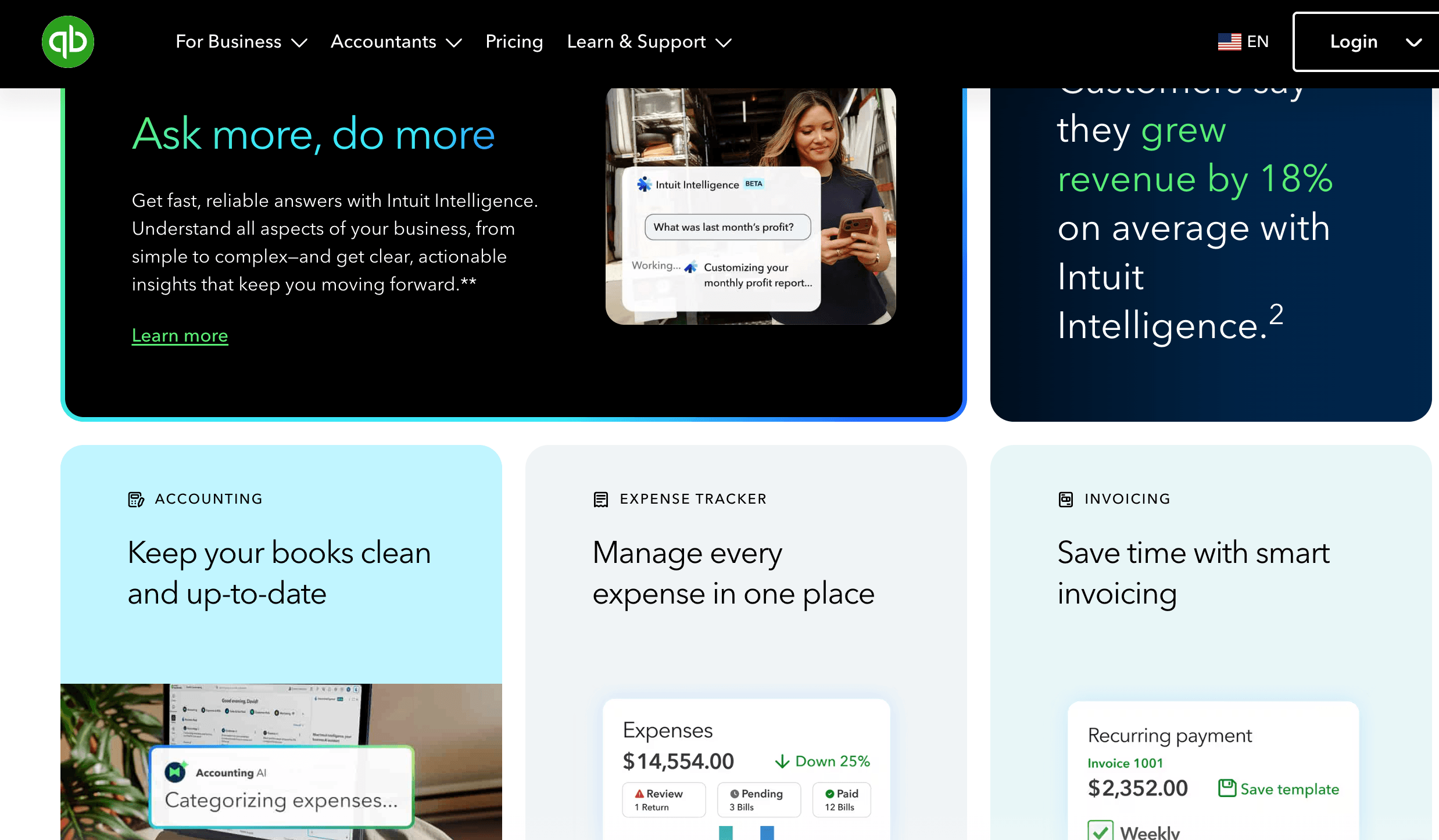
The most important thing to understand about QuickBooks in 2026 is how much it changed in mid-2025. On July 1, 2025, Intuit began rolling every customer onto a redesigned “Intuit platform” — a new homepage built around a business feed, a Customer Hub, smart search, and the headline change: a suite of AI agents woven directly into the product. Intuit is explicit that these agents “aren’t chatbots” — rather than answer questions, they do work for you (categorizing transactions, drafting invoice reminders, surfacing leads) that you then review and approve. Meanwhile Intuit is winding down QuickBooks Desktop — the 2024 edition is the final version — steadily pushing the entire user base toward QuickBooks Online and the cloud.
QuickBooks Online sits at the center of a larger ecosystem: it connects to hundreds of third-party apps, integrates tightly with QuickBooks Payroll, Payments and Time, and plugs into accountant workflows through a dedicated ProAdvisor program. For any business that expects to work with a bookkeeper or tax pro, that near-universal accountant familiarity is often the single biggest reason to choose it over a newer rival.
Why QuickBooks Stands Out in 2026
It’s the accounting standard everyone already knows: QuickBooks’ biggest advantage isn’t a single feature — it’s ubiquity. The vast majority of U.S. accountants, bookkeepers and tax preparers work in QuickBooks daily, tax software integrates with it natively, and your CPA can get secure, role-based access without ever touching your login. That familiarity quietly saves money: software your accountant can’t use, or has to learn, costs you in billable hours. For most American businesses, “my accountant already uses it” is a real, practical edge.
A virtual team of AI agents doing real work: This is the defining 2026 story. Intuit AI powers a set of agents that take tedious tasks off your plate — an Accounting Agent that categorizes transactions and assists reconciliation, a Payments Agent that predicts late payers and drafts reminders (Intuit says businesses get paid an average of five days faster), a Customer Agent that nurtures leads, plus Payroll, Finance and Business Tax agents. Intuit reports customers save around six hours a month. Crucially, everything the agents do lands in your business feed to review and approve — you stay in control, they just remove the busywork.
Reporting depth that scales with you: From a simple profit-and-loss on the entry plans to class and location tracking, project profitability, budgets and Fathom-powered analytics on Advanced, QuickBooks’ reporting grows as your questions get harder — with customizable, saveable reports and forecasting that smaller tools simply don’t offer.
An integration ecosystem that’s hard to match: QuickBooks connects to hundreds of apps you likely already use — payment processors, e-commerce platforms like Shopify and Amazon, CRMs, expense tools, time trackers and industry-specific software. For U.S. businesses in particular, the sheer number of relevant, well-maintained connectors is a real advantage over rivals, and it means QuickBooks can sit at the hub of your whole operations stack rather than in a silo.
One platform from solo to mid-market: The plan ladder runs from a stripped-down Solopreneur tier for one-person, Schedule-C businesses all the way to Advanced for established companies with multiple users and complex reporting — and QuickBooks Enterprise beyond that. You can start small and upgrade in place as you add staff, inventory or complexity, without re-learning a new tool or migrating your data elsewhere.
Automated bank feeds and smart categorization: QuickBooks connects to your bank and credit card accounts and pulls transactions in automatically, then uses AI-powered suggestions to categorize them — grouping high-confidence items so you can review and post them in a single click. Set up bank rules once and a large share of your bookkeeping essentially handles itself, which is where a lot of the day-to-day time savings actually come from.
Get paid, pay people, all in one place: With QuickBooks Payments you can embed a “Pay Now” button on invoices and accept cards, ACH and Tap to Pay on iPhone, with the money and the bookkeeping reconciling automatically. Add QuickBooks Payroll and you can run payroll, file payroll taxes and pay contractors inside the same system your books already live in — no exporting, no double entry.
Genuinely mobile: The QuickBooks mobile app lets you invoice on the spot, snap receipts, track mileage, check cash flow and review the AI agents’ work from your phone — so owners who spend more time on job sites than at a desk can keep the books current from anywhere.
Key Features and Technology
QuickBooks packs a lot under the hood, but the feature set breaks cleanly into four areas: the core accounting engine, the new AI agents, the reporting and operations tools, and the wider Intuit ecosystem that surrounds it.
Core Accounting and Invoicing
Everything starts here. QuickBooks handles full double-entry accounting (from Simple Start up), customizable invoicing with online payment links, expense and receipt capture, automatic bank and credit card imports, sales tax automation, and 1099 tracking with e-filing through Payroll. Essentials and above add bill management (A/P), time tracking and multi-currency — the workflows you need once you have vendors to pay and staff or contractors to bill. The interface is designed so an owner with no accounting background can invoice, categorize an expense or reconcile an account without a manual, while still producing books a professional can rely on.
Intuit AI: The Agent Lineup
The centerpiece of the modern product is Intuit AI, surfaced through the Intuit Assist (now “Intuit Intelligence”) assistant and a team of specialized agents. The Accounting Agent automates bookkeeping and categorization and helps reconcile accounts, comparing PDF statements against your books and flagging anomalies. The Payments Agent predicts late payments, tracks outstanding invoices and drafts reminders to help you get paid faster. The Customer Agent and Customer Hub spot leads and streamline follow-up, nudging QuickBooks toward light CRM territory. A Payroll Agent gathers time and attendance data and flags inconsistencies before you run payroll, a Finance Agent assembles board-ready summaries in one dashboard, and a Business Tax Agent surfaces overlooked deductions for your industry. Because these tools use your live company data, you rarely need to upload files or write elaborate prompts — you just review and approve the work in your business feed.
Reporting, Inventory and Projects
As you move up the plans, QuickBooks turns from a bookkeeping tool into an operations dashboard. Plus adds inventory with cost of goods sold, project profitability, purchase orders, budgets, and class and location tracking — what product sellers, contractors and multi-location businesses need to see where money and costs are flowing. Advanced layers on Fathom-powered analytics, batch invoicing, custom user roles, workflow automation, data backup, and a two-way Excel data flow. This is where QuickBooks separates from lighter competitors that top out at basic financial statements.
Payroll, Payments and the Intuit Ecosystem
Beyond the accounting file, QuickBooks connects to the rest of Intuit’s stack. QuickBooks Payroll (Core, Premium and Elite) runs payroll and files payroll taxes inside your books; QuickBooks Payments accepts cards, ACH and contactless payments and reconciles them automatically; QuickBooks Time (formerly TSheets) adds GPS time tracking, scheduling and job-level breakdowns; and QuickBooks Live offers real human bookkeepers. Add hundreds of third-party integrations, and QuickBooks becomes less a single app than the financial hub of a small business — exactly the position Intuit wants it to hold.
Pricing, Plans, and Package Structure
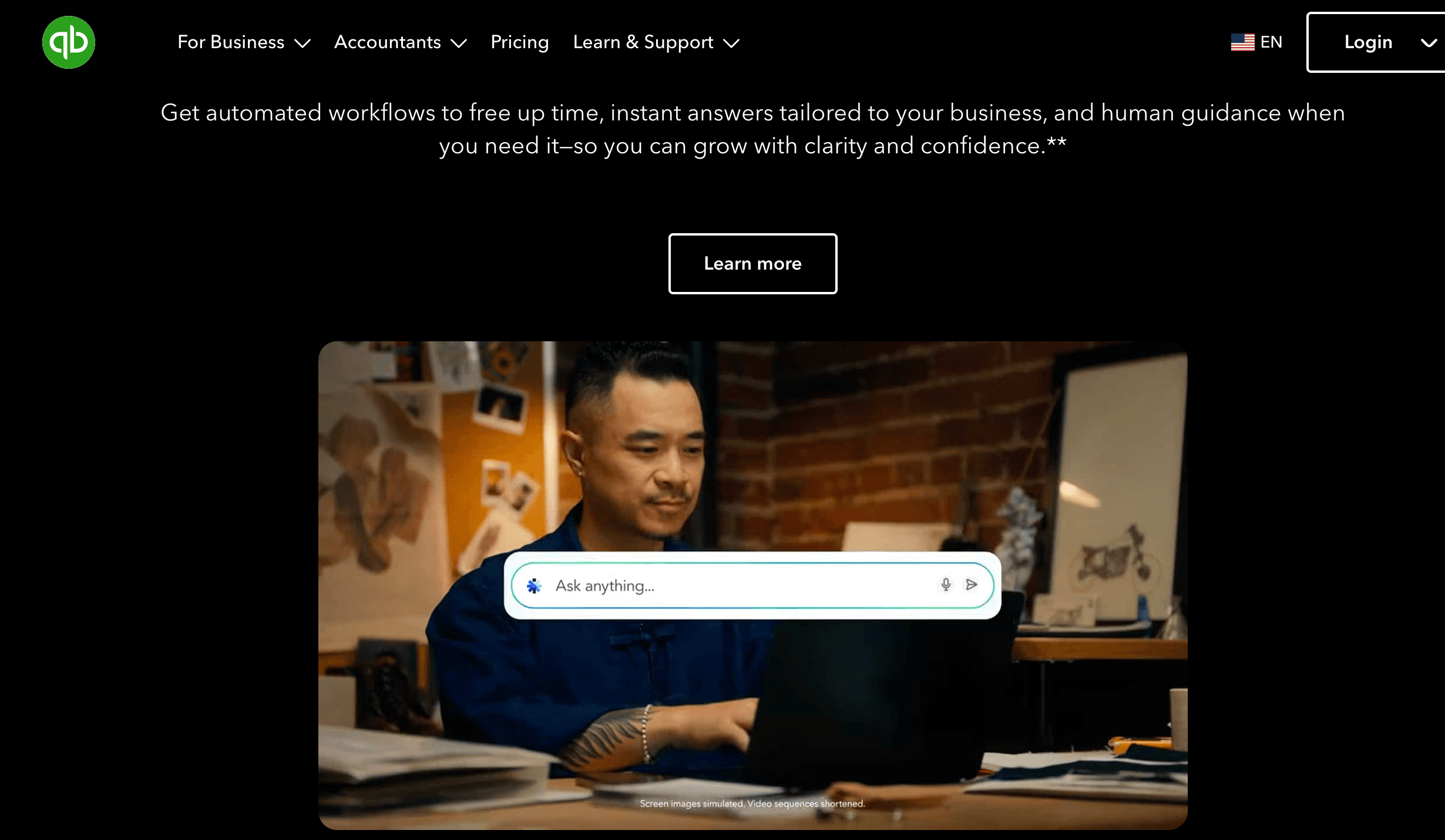
QuickBooks Online is billed as a monthly subscription, with five tiers that scale by features and by how many users are included. Prices below are approximate U.S. list rates following Intuit’s July 2025 increase; they rise roughly once a year, and payroll and payments are separate add-ons. Remember the promo rule: you can take a 30-day free trial or up to 50% off for three months, but not both, and the discount expires into the full rate.
| Plan | Approx. Price | What You Get | Best For |
|---|---|---|---|
| Solopreneur | ~$20/mo | 1 user; income/expense & mileage tracking, basic invoicing, tax estimates (no balance sheet) | Solo, one-person businesses and gig workers filing a Schedule C |
| Simple Start | ~$38/mo | 1 user; full double-entry accounting, invoicing, expenses, sales tax, 1099s, core AI | Freelancers and small businesses wanting real accounting |
| Essentials | ~$75/mo | Up to 3 users; adds bill management (A/P), time tracking, multi-currency | Service teams with vendors, contractors and billable time |
| Plus (most popular) | ~$115/mo | Up to 5 users; adds inventory, project profitability, purchase orders, class/location tracking, budgets | Growing product, e-commerce, contractor and project businesses |
| Advanced | ~$275/mo | Up to 25 users; Fathom analytics, batch invoicing, custom roles, workflow automation, dedicated team, 24/7 support | Established SMBs with higher volume and complex needs |
| Payroll (add-on) | ~$50+/mo base + ~$6/employee | Full-service payroll and payroll-tax filing inside QuickBooks (Core/Premium/Elite) | Any plan once you’re paying employees |
| Enterprise | Custom (higher) | Up to 40 users, 200+ reports, advanced inventory, multi-company management | Larger operations that outgrow QuickBooks Online |
How QuickBooks Compares to Alternatives
| Factor | QuickBooks Online | Xero | FreshBooks | Wave |
|---|---|---|---|---|
| Price range | ~$20–275/mo | ~$20–90/mo | ~$19–60/mo | Free core; paid Pro tier |
| Users included | Capped by plan (1–25) | Unlimited on every plan | Capped; billed by client count | Limited |
| AI & automation | Deep — full AI agent team | Growing | Moderate | Basic |
| Accountant/CPA support | Strongest in the U.S. | Strong, growing | OK for service firms | Basic |
| Best for | Scaling businesses, inventory, CPA-connected | Teams & multi-currency | Freelancers & invoicing | Micro-businesses on a budget |
vs. Xero: Xero is QuickBooks’ closest all-round rival, and its standout advantage is that every plan includes unlimited users, while QuickBooks caps seats by tier and bumps you to a pricier plan when you outgrow them. For a team of three or four who all need access, Xero often wins on economics, and it’s strong for multi-currency and international operations. QuickBooks counters with a deeper AI agent lineup, more U.S.-relevant integrations, native U.S. payroll and far broader accountant familiarity. If you’re a distributed team watching per-seat costs, price Xero carefully; if U.S. CPA compatibility and the richest automation matter most, QuickBooks stays ahead.
vs. FreshBooks: FreshBooks is purpose-built for service businesses, freelancers and consultants who live by invoicing and time tracking, and it’s easier for non-accountants to pick up — the time-tracker-to-invoice flow is a one-click affair. But it’s weaker for product businesses (inventory is basic), its plans cap billable clients before forcing an upgrade, and it’s less standard in tax-focused workflows. If you mostly bill by the hour or project and want the smoothest invoicing, FreshBooks is worth a serious look; if you need inventory, deeper reporting or airtight CPA integration, QuickBooks is the more complete platform.
vs. Wave or a spreadsheet: Wave’s core accounting and invoicing are free (it earns from payments and payroll instead), which is compelling for a brand-new or micro business testing its model, and a DIY spreadsheet costs nothing but your time. Both are fine at the smallest scale. But the moment you have employees, inventory, a CPA, real transaction volume or a need for automation and reporting, you outgrow them fast — and QuickBooks becomes the tool that keeps the books from turning into a liability. For most businesses past the earliest stage, that trade is worth paying for.
Pros and Cons
What Business Owners Love
Your accountant already speaks it: Near-universal CPA and bookkeeper familiarity means smoother tax prep, easy secure access for your accountant, and fewer billable hours lost to software friction — the quiet benefit owners appreciate most.
Real, useful automation: The AI agents and smart categorization genuinely remove busywork — auto-imported bank feeds, one-click posting of high-confidence transactions, drafted invoice reminders, and reported time savings of around six hours a month add up to real hours back.
Reporting and scalability: From basic P&L to inventory, project profitability, class/location tracking and Fathom analytics, QuickBooks answers harder questions as you grow — and you upgrade in place instead of switching tools.
An unmatched integration ecosystem: Hundreds of connectors let QuickBooks sit at the center of your operations stack, syncing with e-commerce, payments, CRM, payroll and industry apps you already use.
Get paid faster, all in one place: Embedded payments, contactless Tap to Pay, and integrated payroll mean invoicing, collecting and paying people all happen inside the same reconciled system — with businesses reportedly paid an average of five days sooner.
Limitations Worth Knowing
It’s expensive, and it gets more so: QuickBooks sits at the premium end of the category, and Intuit raises prices roughly every year — the July 2025 hike was around 15–20%. This is users’ single biggest complaint. Budget for future increases rather than the introductory rate.
The add-ons stack up fast: Payroll (from roughly $50/mo plus per-employee fees), card processing (around 2.9% + $0.30 per online transaction), QuickBooks Time and marketplace apps all cost extra on top of your base plan. The true total is often well above the headline price — for some businesses, payroll alone rivals the cost of the accounting software.
It can be overkill for simple needs: If you just invoice a handful of clients and track a few expenses, QuickBooks’ depth can feel like more tool (and cost) than you need. Very small or simple operations may be better served by FreshBooks or a free option like Wave.
User seats are capped by plan: Unlike Xero’s unlimited users, QuickBooks limits seats per tier (1 on Simple Start, 3 on Essentials, 5 on Plus). Need a sixth user on Plus and you’re pushed up to Advanced at a much higher price — a real jump for growing teams.
The best AI is gated to higher tiers: Everyone gets core AI suggestions, but the full agent team unlocks further up the ladder. If a particular agent is your main reason for buying, verify it’s actually included in the plan you choose.
A learning curve and mixed support: The sheer breadth of features can overwhelm beginners, and while phone and chat support exist (24/7 only on Advanced), support quality is a recurring source of frustration in user reviews. Budget some setup time, or lean on a ProAdvisor to get configured correctly the first time.
Who Should Use QuickBooks
Solo freelancers and gig workers: If you file a Schedule C and mostly need to track income, expenses, mileage and quarterly taxes, the Solopreneur plan keeps costs low. If you want proper double-entry books and room to grow, step up to Simple Start.
Growing product and project businesses: Retailers, e-commerce sellers, contractors and agencies that need inventory, cost of goods sold, project profitability and class/location tracking should go straight to Plus — it’s the most-purchased plan for a reason, and the features that matter only appear there.
Service teams and small agencies: Businesses with a few staff or contractors, vendor bills to manage and billable time to track will find Essentials the natural fit, moving to Plus once they need project-level profitability by client or engagement.
Anyone working closely with an accountant: If a CPA or bookkeeper does or will touch your books, QuickBooks’ ubiquity is a decisive advantage — whichever tier fits your size, the smooth accountant access and tax-software integration pay for themselves in saved fees.
Established SMBs that need control and insight: Companies with higher transaction volume, multiple departments, custom user roles and demanding reporting should look at Advanced for its analytics, batch tools, automation and dedicated support — or QuickBooks Enterprise if they’ve outgrown QuickBooks Online entirely.
Getting Started: Step by Step
- Choose your plan and start the trial. Match the tier to how your business actually works today (and where it’s headed in a year). Decide between the 30-day free trial and the intro discount — you can’t have both — then sign up.
- Connect your bank and set up your chart of accounts. Link your business bank and credit card accounts so transactions import automatically, and let QuickBooks (or your accountant) set up a chart of accounts that fits your industry. Import any existing data if you’re migrating.
- Customize invoicing and sales tax. Add your logo and payment terms, turn on online payment links, and configure sales tax so invoices and filings are correct from day one.
- Turn on automation and review your AI agents. Set up bank rules for recurring transactions and let the Accounting and Payments agents start categorizing and chasing invoices — then review and approve their work in your business feed so you stay in control.
- Invite your accountant. Grant secure, role-based access to your CPA or bookkeeper (or a ProAdvisor) so they can help configure, clean up and monitor your books — and pass along any partner discount.
- Add payroll and payments if you need them. Layer on QuickBooks Payroll to pay employees and file payroll taxes, and QuickBooks Payments to accept cards and ACH — both reconcile automatically back into your books.
- Build a monthly routine. Reconcile accounts, review the AI agents’ work, check your reports and cash flow, and follow up on the business feed’s recommendations so your books stay current all year, not just at tax time.
Tips for Getting Maximum Value
Model the real cost before you commit: compare the 30-day trial against the roughly 50%-off-for-three-months promo (you can only pick one), and budget for the full price after month four plus the annual increases that follow. If you work with a QuickBooks ProAdvisor, buy through them — partners can often pass along a standing discount that beats the public offer over time. Resist over-buying tiers: most small businesses never need Advanced, so stay on Plus unless you genuinely need six-plus users or Fathom analytics. Lean hard on automation — set up bank rules and let the AI categorize and reconcile, which is where the biggest time savings hide — and connect only the integrations you’ll actually use. If you have just a handful of employees, price a standalone payroll provider against QuickBooks Payroll, since bundling isn’t always cheaper. Finally, get the setup right the first time; most owners who DIY their configuration spend weeks fixing what a proper initial setup would have prevented.
Future Outlook and Final Assessment
The trajectory favors QuickBooks. AI is reshaping finance faster than almost any other business function, and Intuit has bet the platform on it — its agent-driven, “done-for-you” model is exactly where small business accounting is heading. The sunset of QuickBooks Desktop is migrating millions of legacy users into QuickBooks Online, the integration ecosystem keeps deepening, and dominance among U.S. accountants creates a network effect rivals struggle to break. For a business choosing software it expects to keep for years, betting on the incumbent that’s investing heavily in AI is a defensible choice.
The honest caveats remain: QuickBooks is expensive and gets pricier each year, the add-ons stack well beyond the headline number, seat caps can force costly upgrades, and there’s a real learning curve. Competitors beat it on specific fronts — Xero on unlimited users, FreshBooks on invoicing simplicity, Wave on price. But for the broad middle of the market — businesses that want deep reporting, real automation, a huge integration library, native payroll and payments, and software their accountant already knows — QuickBooks in 2026 is still the most complete, most future-proof option on the table, and the AI agents make it more useful than ever.
Conclusion
QuickBooks earned its place as the default small business accounting platform the hard way — by being the tool owners, bookkeepers and accountants could all rely on — and in 2026 it’s reinventing itself around AI without losing that foundation. Yes, it costs more than its rivals, and the add-ons demand attention. But for a business that wants its bookkeeping, invoicing, payments, payroll and reporting in one place, automated by a virtual team of agents and instantly legible to any accountant, few products come close. Confirm the current pricing, choose the tier that fits how you actually work, and QuickBooks turns one of the most stressful parts of running a business into something you barely have to think about — which is the whole point of letting the right software make everything easy.
Ready to put your bookkeeping on autopilot?
Explore more honest reviews, tutorials and tool comparisons to find the right tech for the way you work and live — at AI Solutes, where we make everything easy.
👉 Start Your Free Trial: https://quickbooks.com
👉 Our YouTube Channel: youtube.com/@ai-solutes
👉 Our Facebook Fanpage: Facebook
👉 Our X (Twitter): @AISolutes
- How Can Apollo Accelerate Your Sales Pipeline? Inside the Smart Prospecting Tool
- Made a Video
- Master Weebly in 2026: Compare Pricing, eCommerce Features, Pros and Cons, and SEO Strategies
- Sell The Trend Review 2025: Dominate AI Dropshipping with Nexus AI
- Should ImagineArt Create Visuals? Examining the ImagineArt AI Generation Engine















