

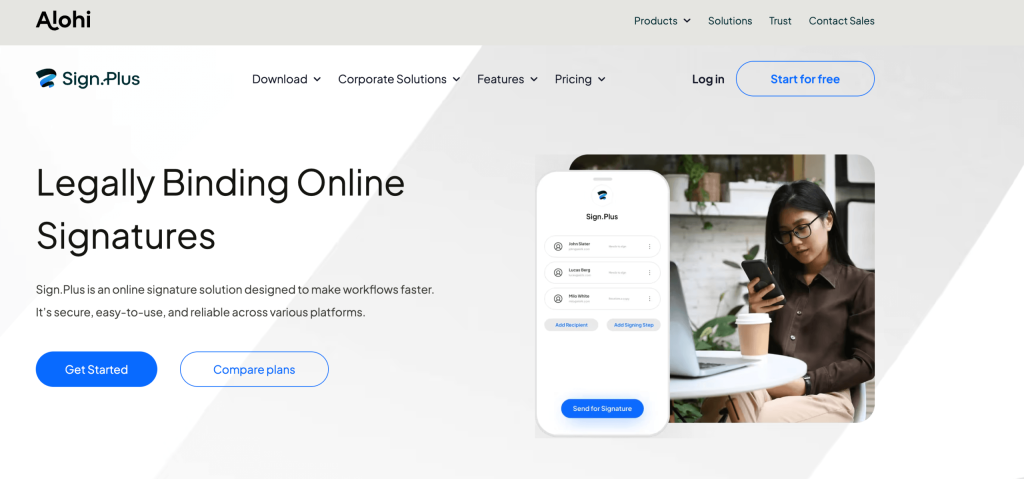
Every business professional has lived the paper signature loop at least once: you draft a contract, export it to PDF, email it, watch it sit in someone’s inbox for four days, then receive it back as a blurry scan of a printed-and-rescanned page that may or may not be legally enforceable in your jurisdiction. Meanwhile the deal stalls, the momentum fades, and you repeat the process for the next document. Sign.Plus was built to eliminate that loop entirely. Developed by Alohi SA — the Swiss company behind Fax.Plus — Sign.Plus is a secure, legally binding electronic signature platform designed to make document signing fast, compliant, and paperless for individuals, SMBs, and enterprises of any size. It is compliant with the globe’s strictest legal frameworks including ESIGN, eIDAS, ZertES, UETA, and certified against ISO 27001, SOC 2 Type 2, HIPAA, PCI DSS, GDPR, and CCPA. Integrations cover Google Workspace (Drive, Docs, Sheets, Slides), Zapier, Salesforce, Microsoft Word, Slack, and a full developer API. A free plan is available with no credit card required, and paid plans start at entry-level pricing that decisively undercuts DocuSign and Adobe Acrobat Sign for comparable feature depth. The global e-signature market surpassed $7 billion in 2025 and is on track to nearly double by 2030 — and Sign.Plus positions itself as the platform that brings enterprise-grade compliance and security to teams who should not have to pay enterprise-grade prices to access them.
For freelancers who need fast client contracts, HR teams managing onboarding paperwork at scale, legal departments requiring court-defensible audit trails, healthcare providers bound by HIPAA, and real estate professionals closing time-sensitive deals, Sign.Plus delivers a comprehensive e-signature toolkit that is simultaneously approachable enough for a single-person operation and robust enough for enterprise compliance requirements. This 2026 review covers exactly what Sign.Plus is and who built it, the full feature set explained practically, every pricing plan clearly broken down, a direct comparison with DocuSign and HelloSign/Dropbox Sign, honest pros and cons, who gets the most value from it, and a step-by-step guide to sending your first document for signature today.
Sign.Plus Review 2026: The Secure, Compliant, Affordable E-Signature Platform That Replaces DocuSign — Without the Enterprise Price Tag
Overview and Background
Sign.Plus is developed and maintained by Alohi SA, a Swiss-based software company with a clear product philosophy: build professional-grade digital document tools — faxing, signing, scanning — that are accessible, affordable, and trustworthy for businesses of every size. Alohi is best known for Fax.Plus, one of the most widely used cloud fax services in the world, and Sign.Plus applies the same model to e-signatures: robust compliance infrastructure, clean multi-platform UX, and transparent pricing without the enterprise premium that DocuSign and Adobe Acrobat Sign have historically charged.
Sign.Plus is cloud-based and operates across web, iOS, Android, and desktop, with deep integrations into Google Workspace that make it particularly frictionless for teams already working in Google Drive, Docs, Sheets, and Slides. The platform handles the full e-signature lifecycle: preparing documents with drag-and-drop field placement, sending to single or multiple recipients, tracking real-time progress, collecting legally binding signatures, and generating tamper-proof completion certificates with full audit trails. Recipients do not need a Sign.Plus account to sign — they receive an email link and sign in a browser, which significantly reduces friction in the signing experience.
The compliance architecture is one of Sign.Plus’s strongest competitive differentiators. The platform is certified against an unusually comprehensive set of standards: ISO 27001 (information security management), SOC 2 Type 2 (security, availability, and confidentiality controls independently audited), HIPAA (healthcare data privacy — required for any US healthcare document workflow), PCI DSS (payment card industry data security), GDPR (EU data protection), and CCPA (California Consumer Privacy Act). On the legal enforceability side, it complies with ESIGN (US), UETA (US), eIDAS (EU), and ZertES (Switzerland). This multi-standard certification stack is typically found only on enterprise-tier platforms and positions Sign.Plus as a serious compliance choice for regulated industries including healthcare, finance, legal, and real estate.
Why Sign.Plus Stands Out in 2026
Multi-standard compliance stack that rivals enterprise platforms — at a fraction of the price: Sign.Plus’s compliance portfolio — ISO 27001, SOC 2 Type 2, HIPAA, PCI DSS, GDPR, CCPA, ESIGN, eIDAS, ZertES — represents a combination typically associated with DocuSign’s enterprise tier or Adobe Acrobat Sign business plans costing $23.99+/month per user. The fact that Sign.Plus includes this compliance depth on its standard paid plans makes it compelling for regulated industries where compliance is not optional. Healthcare providers need HIPAA; European businesses need eIDAS and GDPR; financial services teams need SOC 2 — Sign.Plus covers all three simultaneously.
Native Google Workspace integration — free to all users: The Sign.Plus integration with Google Workspace — available free to all plan levels — allows users to initiate, manage, and collect signatures directly from Google Drive, Docs, Sheets, and Slides without leaving the Google environment. This is the single most friction-reducing feature for the enormous percentage of professionals whose primary document workflow lives in Google. Sending a contract for signature from Google Drive takes seconds; tracking its progress, downloading the completed version, and accessing the audit certificate all happen within the same familiar interface. No exporting, no third-party upload, no context switching.
Tamper-proof audit trails with certificates of completion on every signed document: Every document signed through Sign.Plus generates a completion certificate — a tamper-proof digital record containing the signer’s name, email address, IP address, signature timestamp, geographic location, device information, and a cryptographic hash of the final signed document. This certificate is automatically attached to the completed document and serves as the legally defensible evidence record if a signature is ever disputed. Unlike platforms where the audit trail is an add-on or a paid-tier feature, Sign.Plus includes this on all plans — a meaningful commitment to security-by-default.
Recipients sign without creating an account — maximum simplicity for external parties: One of the most consistent friction points in e-signature adoption is requiring signers to create accounts on the signing platform before they can complete a document. Sign.Plus eliminates this entirely: recipients receive an email link, click it, and sign in their browser — no account creation, no app download, no password. For businesses that send contracts to clients, suppliers, and partners who may never use Sign.Plus themselves, this zero-friction signer experience directly improves completion rates and reduces the back-and-forth of technical support for confused recipients.
Real-time tracking and automated reminders — keep deals moving without chasing: Once a document is sent, Sign.Plus provides a real-time status dashboard showing exactly where each document is in its lifecycle: sent, viewed, signed, or waiting. The platform sends automated reminders to recipients who have not signed within a configurable timeframe, eliminating the manual follow-up cycle that makes unsigned contracts disappear into inboxes. Instant notifications arrive when any signer takes action, so you know immediately when a contract is complete rather than checking manually.
Reusable templates for high-frequency documents — set up once, use indefinitely: For businesses that send the same types of documents repeatedly — service agreements, NDAs, employment contracts, onboarding forms, rental agreements — Sign.Plus’s template system allows you to create a pre-configured document with all fields and routing pre-set. Sending a templated document takes seconds: choose the template, enter the recipient’s details, send. Templates are particularly valuable for HR teams managing onboarding at scale, legal teams with standard contract sets, and sales teams who send the same MSA to every new client.
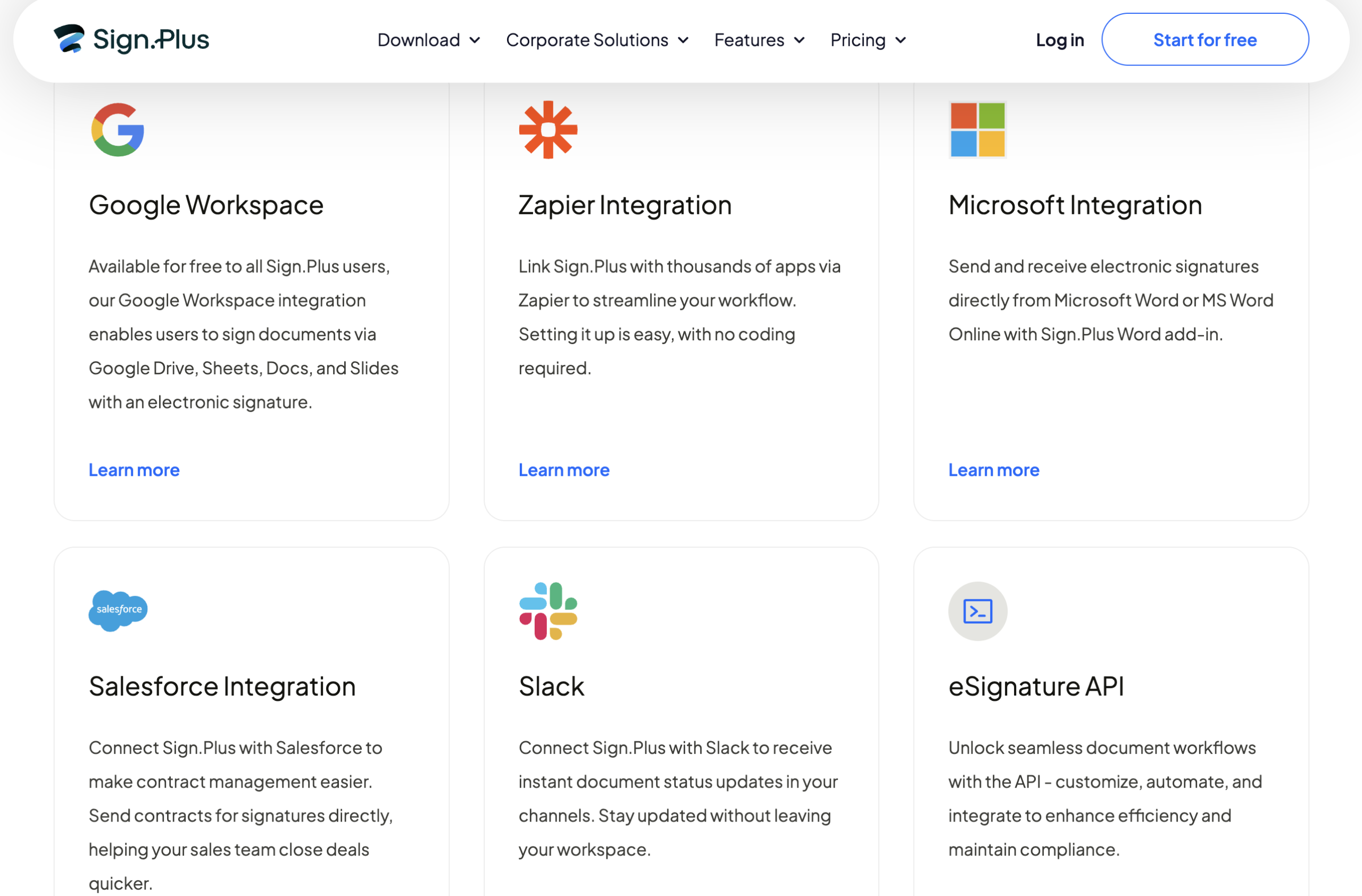
Developer API for embedding e-signatures directly into applications and workflows: Sign.Plus’s API allows development teams to embed the complete e-signature workflow — document preparation, sending, tracking, completion — directly into their own applications, websites, or platforms. Webhook support enables real-time event notifications within custom workflows. The API is available on all plans with a dedicated API pricing tier for high-volume programmatic use. Zapier integration (with triggers for document completion, expiry, declination, and voiding, plus an action for template-based sending) makes automation accessible to non-developers without writing any code.
Key Features and Technology
Sign.Plus’s feature architecture covers the complete document signing lifecycle. Here is how each major capability works in practice.
Document Preparation and Sending
Document preparation uses a drag-and-drop field editor. You upload a PDF (or import from Google Drive, Dropbox, or other connected storage), then drag signature fields, initials, date fields, text fields, checkboxes, and other field types onto the appropriate positions. Each field is assigned to a specific recipient, so the platform routes each signer to exactly the sections they need to complete. The editor also supports bulk sending for mass-signing scenarios — send the same document to many recipients simultaneously without setting up each individually. Once prepared, documents are sent by email; recipients receive a direct link and sign in any browser on any device. Multi-party signing with ordered or parallel routing is supported — you control whether signers must complete sequentially or can sign in any order simultaneously.
Security, Encryption, and Audit Trail
All data on Sign.Plus is encrypted both in transit (TLS 1.2+) and at rest (AES-256), consistent with banking-grade data security standards. The platform’s SOC 2 Type 2 certification means an independent auditor has verified these controls on an ongoing basis — not just a one-time audit, but continuous verification. HIPAA compliance means Sign.Plus will sign a Business Associate Agreement (BAA) on the Enterprise plan, satisfying the contractual requirement for healthcare organisations to use HIPAA-covered services for patient data. The audit trail on each document captures the complete signing event: every action by every participant, timestamped and IP-attributed, generating a completion certificate that is cryptographically tamper-evident. Any post-signing modification to the document invalidates the certificate, making forgery detectable.
Integrations: Google Workspace, Microsoft Word, Salesforce, Slack, and Zapier
The integration portfolio covers the tools most commonly used by Sign.Plus’s target audience. The Google Workspace integration (available to all users free) embeds Sign.Plus functionality directly into Google Drive, Docs, Sheets, and Slides — you can right-click a file in Drive to send it for signature without opening Sign.Plus separately. The Microsoft Word add-in allows sending Word documents for signature directly from the Word interface, eliminating the PDF conversion step. Salesforce integration enables sales teams to send contracts for signature directly from within CRM records, accelerating the contract-to-close cycle. Slack integration delivers instant document status notifications to your Slack channels, so you are informed the moment a contract is signed without leaving your team workspace. Zapier integration connects Sign.Plus to thousands of additional applications for custom automation workflows.
Team Management, Enterprise Features, and API
Team management features allow account owners and administrators to set up workspaces, add users to team accounts, assign roles and permissions, and manage shared template libraries accessible to all team members. The Enterprise plan adds advanced controls including SSO (Single Sign-On), custom branding (your logo and domain on all signing emails and pages), advanced user management, data residency options to control where documents are stored geographically, dedicated onboarding support, and a dedicated account manager. The developer API exposes the full Sign.Plus feature set programmatically — document creation, template instantiation, recipient management, status querying, and webhook events — with API plans specifically designed for higher-volume programmatic usage. All plans benefit from multi-platform access (web, iOS, Android, desktop) without additional per-platform licensing.

Pricing, Plans, and Package Structure
Sign.Plus offers four plan tiers — Free, Professional, Business, and Enterprise — available on monthly or annual billing, with annual billing providing meaningful savings. Team seats are priced per user, so you only pay for the members you actually need. The Professional plan accommodates up to 5 total seats; Business and Enterprise support unlimited seats. All prices below are approximate and subject to change — always verify current pricing at sign.plus/pricing before purchasing. A free trial is available on paid plans, and the free plan requires no credit card.
| Plan | Price | Users / Seats | Key Features | Best For |
|---|---|---|---|---|
| Free | $0 / forever | 1 | Basic signing & sending, audit trail, Google Workspace integration, limited documents/month | Freelancers and individuals with low monthly document volume |
| Professional ⭐ Recommended | From ~$14.99/mo/user (annual) | Up to 5 seats | Unlimited documents, templates, all integrations, real-time tracking, automated reminders | Solo professionals and small teams with regular signing volume |
| Business | From ~$24.99/mo/user (annual) | Unlimited seats | All Professional features + team management, custom branding, bulk send, advanced workflows | Mid-size businesses and teams requiring custom branding and unlimited seats |
| Enterprise | Custom (contact sales) | Unlimited seats | SSO, HIPAA BAA, data residency, dedicated account manager, SLA, advanced compliance | Enterprises, healthcare, finance, and highly regulated industries |
How Sign.Plus Compares to Alternatives
| Factor | Sign.Plus | DocuSign | HelloSign / Dropbox Sign | Adobe Acrobat Sign |
|---|---|---|---|---|
| ESIGN / eIDAS / ZertES | Yes — all three | Yes — ESIGN + eIDAS | ESIGN + UETA | ESIGN + eIDAS |
| ISO 27001 / SOC 2 T2 | Yes — both | Yes — both | SOC 2 Type 2 | ISO 27001, SOC 2 |
| HIPAA compliance | Yes — Enterprise (BAA) | Yes — Business Pro+ | Yes — Business | Yes — Business plan+ |
| Google Workspace integration | Yes — free on all plans | Yes | Yes | Yes |
| Free plan availability | Yes — no credit card | 30-day trial only | Yes — 3 docs/month | 30-day trial only |
| Entry paid pricing (monthly) | ~$14.99/user/mo (annual) | ~$25/user/mo | ~$20/user/mo | ~$14.99/user/mo (Std) |
| Best for | Compliance + affordability + Google-first teams | Brand recognition, large enterprises | Simplicity, Dropbox integration | Adobe ecosystem users, PDF-heavy workflows |
vs. DocuSign: DocuSign is the market leader by brand recognition and enterprise adoption, with an enormous integration library and the deepest enterprise workflow customisation available. Its primary disadvantages for SMBs and mid-market teams are pricing ($25/user/month at base) and complexity — the platform’s depth can make routine use cases feel over-engineered. Sign.Plus offers a comparable compliance stack (ISO 27001, SOC 2 Type 2, HIPAA, ESIGN, eIDAS) at a lower price point, with a meaningfully cleaner UI for straightforward signing workflows. For large enterprises with complex approval chains and deep Salesforce/CRM integrations already built around DocuSign, migration costs may outweigh the savings. For teams choosing fresh, Sign.Plus offers equivalent compliance with better economics.
vs. HelloSign / Dropbox Sign: HelloSign (rebranded Dropbox Sign after acquisition) is a clean, well-designed platform that integrates naturally with the Dropbox storage ecosystem. Its compliance coverage is narrower than Sign.Plus — primarily ESIGN, UETA, and SOC 2 Type 2, without the ZertES coverage for Swiss users or the same breadth of certifications. For teams already deeply invested in Dropbox for file storage, Dropbox Sign’s native integration is a genuine convenience. For teams working primarily in Google Workspace, Sign.Plus’s native Google integration is the stronger choice. Sign.Plus also includes a genuinely free tier with no credit card requirement, while Dropbox Sign’s free plan allows only 3 documents per month.
vs. Adobe Acrobat Sign: Adobe Acrobat Sign is the natural choice for teams deeply embedded in the Adobe ecosystem — particularly those using Adobe Acrobat DC for PDF editing, who benefit from the tight integration between PDF workflows and signing. Its compliance coverage is similar to Sign.Plus at the business tier. The key difference is the product focus: Adobe Sign is primarily a tool for PDF-heavy workflows, while Sign.Plus is designed for the full range of business documents regardless of origin format. For teams who work in Google Workspace and want frictionless signing without an Adobe subscription, Sign.Plus is the more appropriate fit. Pricing is comparable at the standard tier.
Pros and Cons
What Users Love
Enterprise-grade compliance at SMB-friendly pricing: The combination of ISO 27001, SOC 2 Type 2, HIPAA, GDPR, CCPA, ESIGN, eIDAS, and ZertES certification at Sign.Plus’s price point is what most frequently drives new customers to choose it over alternatives. Teams in healthcare, finance, and legal — where compliance is not optional — typically expect to pay DocuSign enterprise prices for this level of certification. Sign.Plus delivers the same compliance stack at a fraction of the cost, making it one of the highest-value propositions in the e-signature category for compliance-conscious organisations.
The Google Workspace integration genuinely eliminates context switching: Users who work primarily in Google Drive describe the Google Workspace integration as the feature they would most miss if they switched platforms. Being able to right-click a file in Drive and send it for signature — without downloading, uploading, or opening a separate application — saves meaningful time for teams who send documents regularly. The deep integration (Drive, Docs, Sheets, and Slides) rather than just a Drive link is notably more comprehensive than what most competitors offer.
Clean, intuitive interface that signers don’t need a manual for: Sign.Plus’s UI design prioritises clarity for both document senders and recipients. The document preparation interface is straightforward enough that new users are productive within minutes, and the recipient signing experience is clean enough that clients, partners, and suppliers can complete signatures without support calls or confusion. This sender-and-recipient UX quality is a meaningful competitive advantage: a signing platform is only as good as its weakest user experience, and Sign.Plus performs well on both sides.
Tamper-proof audit trails on every plan — security by default: Including the completion certificate with full audit trail on all plans — not just paid tiers — reflects a security-first design philosophy. Users consistently cite the audit certificate as a feature that gives them confidence to use Sign.Plus for legally sensitive documents: employment contracts, service agreements, financial paperwork, and real estate transactions where provability of signature intent matters.
Part of the Alohi suite — Sign.Plus and Fax.Plus under one account: For businesses that need both e-signature and cloud fax capabilities — common in healthcare, legal, and real estate where fax is still a compliance requirement — the ability to manage both through a single Alohi account with unified billing and a single login is a genuine convenience that neither DocuSign nor Adobe offer as a native combined product.
Limitations Worth Knowing
Free plan document limits restrict serious business use: The free plan includes only limited monthly document sending — insufficient for businesses sending contracts or agreements regularly. While excellent for evaluation and occasional use, teams with consistent document volume will reach the free tier’s limits quickly and need to upgrade to Professional. The free plan is best treated as an evaluation tool rather than a long-term operating plan for active businesses.
Smaller integration library compared to DocuSign’s enterprise ecosystem: DocuSign’s 400+ native integrations cover a wider range of enterprise platforms, CRM systems, HR tools, and industry-specific software than Sign.Plus’s current integration library. For organisations that need deep integration with niche vertical software (specific EHR systems, construction management platforms, or specialised legal tools), DocuSign’s breadth may be more appropriate. Sign.Plus’s Zapier connection provides a broad workaround for most common integration needs, but native first-party integrations for some tools are not yet available.
HIPAA BAA requires the Enterprise plan — not available on standard tiers: Healthcare organisations that require a HIPAA-compliant workflow with a signed Business Associate Agreement must use the Enterprise plan, which requires contacting sales for custom pricing. For small healthcare providers or solo practitioners who need HIPAA compliance at a lower price point, this may be a limitation compared to platforms that include BAA on mid-tier plans. Always verify the current HIPAA plan requirement directly with Sign.Plus before purchasing.
Advanced workflow automation is less deep than specialised workflow platforms: For complex, conditional document routing — where the next signer is determined by data in the previous response, or where branching approval logic is required — Sign.Plus’s current workflow automation is less feature-rich than dedicated contract lifecycle management (CLM) platforms like PandaDoc or Ironclad. Sign.Plus excels at clean, efficient signing workflows; it is not a full CLM platform. Teams requiring sophisticated conditional routing, contract analytics, or deep CRM-embedded workflow automation may need a dedicated CLM alongside Sign.Plus.
Customer support response times can vary on lower-tier plans: Some users on entry-level plans report that support response times are slower than expected for time-sensitive signing issues. Enterprise plan customers receive dedicated account manager support. Professional and Business plan users rely primarily on documentation and email support. For teams where signing bottlenecks have high business impact — a real estate closing, a time-sensitive contract, a regulatory filing — this is worth factoring into the plan decision, and knowing how to escalate issues via the help centre before you need it is good practice.
Who Should Use Sign.Plus
Teams working primarily in Google Workspace who want seamless in-environment signing: If your team lives in Google Drive, Docs, and Sheets — and you want to send documents for signature without ever leaving the Google environment — Sign.Plus’s native Google Workspace integration (free on all plans) is among the best available. This is the most impactful daily-use feature for this audience and the primary reason many Google-first teams choose Sign.Plus over alternatives that offer less deep integration.
Healthcare providers, legal firms, and financial services teams needing full compliance coverage: For regulated industries where HIPAA, SOC 2 Type 2, ISO 27001, GDPR, eIDAS, and tamper-proof audit trails are requirements rather than preferences, Sign.Plus’s compliance stack is comprehensive and independently certified. Healthcare teams requiring HIPAA BAA will need the Enterprise plan; all other compliance certifications are included on standard paid plans. The combination of compliance breadth and affordability relative to DocuSign makes Sign.Plus particularly compelling for mid-size organisations in regulated sectors.
Freelancers and solo professionals who need occasional signing without a monthly fee: The free plan — no credit card required, includes Google Workspace integration and completion certificates — is adequate for freelancers and independent contractors who send a small number of contracts monthly. Upgrading to Professional when volume increases is straightforward, and the annual price is lower than the daily cost of printing, scanning, and emailing documents the old way.
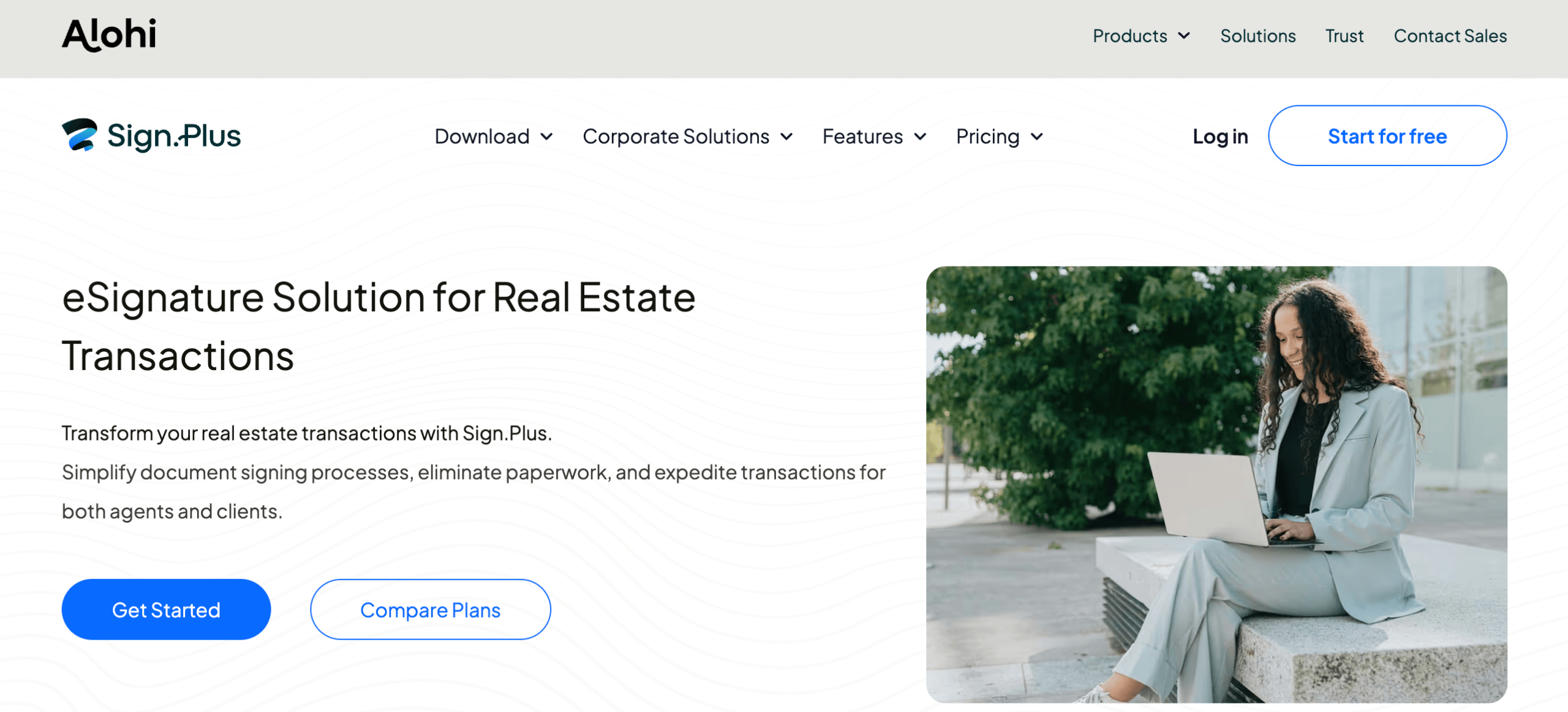
Real estate professionals managing time-sensitive transaction documents: Real estate contracts are time-sensitive, involve multiple parties, and require legally defensible audit trails for compliance. Sign.Plus’s multi-party signing, real-time tracking, automated reminders, and tamper-proof completion certificates map directly to real estate workflow requirements. The mobile apps mean agents can send and track documents from property visits, and clients can sign offers on their phones without needing a printer.
Businesses in Switzerland or the EU that need ZertES or eIDAS compliance: Sign.Plus is one of the relatively few mainstream e-signature platforms that includes ZertES compliance for Swiss qualified electronic signatures alongside eIDAS for the EU. For European and Swiss businesses where regulatory-grade electronic signatures have specific legal requirements, this dual compliance is a meaningful differentiator from US-centric platforms whose European compliance may be narrower.
Getting Started: Step by Step
- Create your free account at sign.plus. Visit sign.plus and click “Start for free” — no credit card required. Sign up with your Google account for the fastest onboarding and immediate access to the Google Workspace integration, or use your email address directly. Your Alohi account gives you access to Sign.Plus and Fax.Plus from the same dashboard.
- Connect the Google Workspace integration (highly recommended). Install Sign.Plus from the Google Workspace Marketplace at no extra cost. Once installed, you can right-click any file in Google Drive and choose to send it for signature directly. This is available on all plan levels including free and dramatically reduces the friction of everyday document signing.
- Upload your first document and add signature fields. In the Sign.Plus dashboard, click “New Document” and upload your PDF, Word document, or file from Google Drive. Use the drag-and-drop field editor to place signature fields, initials, date fields, and any other required fields. Assign each field to the appropriate recipient if multiple parties will sign.
- Add recipients and configure signing order. Enter the email addresses of your signers. If sequential signing is required (one signer must complete before the next receives the document), set the signing order. If parallel signing is acceptable (all signers receive and complete simultaneously), leave the order unset. Add a personal message to the signing email to provide context for your recipients.
- Send and monitor progress in real time. Click send and watch your document dashboard update in real time. You will see when each recipient opens the email, views the document, and completes their signature. Set a reminder schedule for any recipients who have not signed within your target timeframe — Sign.Plus will follow up automatically.
- Download the completed document and completion certificate. When all signatures are collected, Sign.Plus notifies you immediately. Download the signed PDF — with the tamper-proof audit certificate embedded — from your dashboard. Store it in your preferred location: Google Drive, Dropbox, your local system, or any connected cloud storage.
- Create templates for your most frequent document types. For any document type you send regularly — client agreements, NDAs, employment contracts, onboarding forms — create a reusable template with pre-set fields and routing. Future sends of the same document type take seconds: choose the template, enter the new recipient’s details, and send. Review your plan limits at this stage and upgrade to Professional if your monthly volume warrants it.
Tips for Getting Maximum Value
Install the Google Workspace integration before your first document — it takes two minutes and makes every future send dramatically faster by eliminating the upload step entirely. Build templates for your most common document types during your first week; the upfront five minutes per template saves cumulative hours over months of repeated sending. Use Sign.Plus’s Zapier integration to automate downstream actions when documents are completed — for example, automatically adding a new row to a Google Sheet when an NDA is signed, or sending a Slack notification to your team when a client contract is complete, without any manual logging. For sales teams, connecting Sign.Plus to Salesforce means contract send-and-track lives inside CRM records where the rest of the deal context already lives. When configuring reminders, set the first automated reminder to trigger 48 hours after sending rather than 24 — it gives recipients time to process without feeling immediately pressured, which tends to produce better completion rates. For high-stakes documents like employment agreements or major client contracts, always download and archive both the signed document and the completion certificate immediately after signing — do not rely solely on cloud storage that you could lose access to in a future pricing change.
Future Outlook and Final Assessment
The structural tailwinds behind Sign.Plus are substantial and durable. The global e-signature market surpassed $7 billion in 2025 and is projected to nearly double by 2030, driven by three converging forces: the ongoing digitisation of business workflows, tightening data protection regulations that increase compliance requirements, and the normalisation of remote work that makes physical signing logistically impractical. More contracts are signed digitally than with ink in 2026, and every major regulatory update — the EU’s eIDAS 2.0 refresh, HIPAA enforcement actions in the US, GDPR expansion — increases the compliance surface area that e-signature platforms must cover. Sign.Plus’s investment in its compliance stack — ISO 27001, SOC 2 Type 2, HIPAA, PCI DSS, GDPR, CCPA, ESIGN, eIDAS, ZertES — positions it to benefit directly from this regulatory complexity rather than being disadvantaged by it.
Alohi’s 2024 introduction of the Enterprise plan and ongoing investment in the Google Workspace and Microsoft integrations signal continued product development toward the features that determine enterprise contract decisions: SSO, advanced team management, data residency, and deeper workflow automation. The Zapier integration already covers the automation gap for non-enterprise users. The honest limitations — narrower native integration library than DocuSign, HIPAA BAA restricted to Enterprise tier, workflow automation depth below dedicated CLM platforms — are real but specific. Within the space it targets — compliance-conscious SMBs and mid-market teams, regulated industries outside the DocuSign enterprise tier, and organisations working primarily in Google Workspace — Sign.Plus delivers a compelling and well-executed product.
Conclusion
Sign.Plus has built something that the e-signature market genuinely needed: a platform where enterprise-grade compliance is not priced as an enterprise luxury, where the Google Workspace integration is deep enough to actually change daily workflows rather than being a checkbox feature, and where the recipient signing experience is clean enough that clients and partners complete documents rather than ignoring them. Whether you are a freelancer sending your first client contract, a healthcare HR team managing onboarding under HIPAA, a sales team closing SaaS deals through Salesforce, or a European business that needs eIDAS-compliant signatures for regulatory purposes — Sign.Plus delivers the compliance, security, and workflow integration that makes signing fast, defensible, and genuinely easy. The paper signature loop has a solution. Start free, sign your first document, and see exactly how much time you get back — because at AI Solutes, we believe the best tools make everything easy.
Ready to replace the paper-and-scan loop with legally binding e-signatures — starting today, for free?
Explore more honest reviews, tutorials and tool comparisons to find the right tech for the way you work and live — at AI Solutes, where we make everything easy.
👉 Start Free: https://ai-solutes.com/alohi
👉 Our YouTube Channel: youtube.com/@ai-solutes
👉 Our Facebook Fanpage: Facebook
👉 Our X (Twitter): @AISolutes
- Is Paysend the Ultimate Choice for International Money Sending? Exploring the Paysend Global Delivery Ecosystem
- TalkiingPhoto by Movio
- What If End-to-End Privacy Was Built Into Proton’s Security Engine?
- Can Skool Replace Traditional LMS Platforms? Assessing the Skool Knowledge Architecture
- Leia Inc.















